Edit photos by adding holiday with adjustable size, color, spacing, and placement. Apply holiday-themed frames and text overlays. Animate with two timers. Share 10-second videos, animated GIFs, or single-frame photos.
Create slideshow videos by selecting templates, adding photos or videos, and applying transitions, animations, and effects. Customize with stickers, fonts, and music. Share directly to social media platforms or save to camera roll.
Edit videos by trimming, rotating, scaling, and flipping clips. Select frames and overlays to enhance visuals. Export full-size videos for Instagram and other platforms. Adjust orientation to match social media requirements.
Manage and organize creative projects in one place. Import and export files. Edit art with high zoom, animation tools, and color palette customization. Create and animate sprites for retro-style games.
Edit photos by selecting from Camera Roll or taking new shots. Apply real-time effects to create prism-like glass pieces. Adjust frames, shapes, and patterns. Rotate, resize, and drag elements for custom designs. Export and share edited images.
The app allows users to create original movies by selecting photos from their camera roll. Users can preview their selections before outputting the final video.
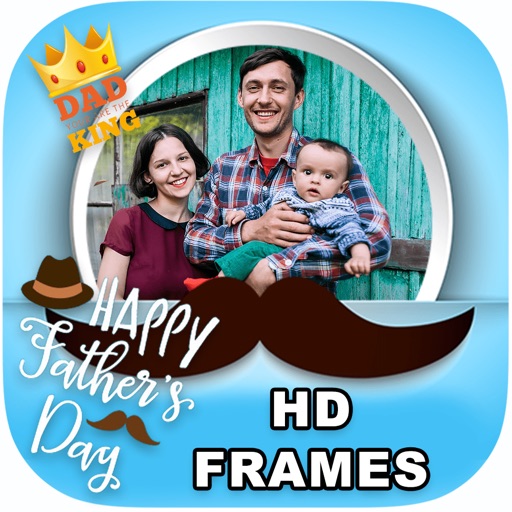
Edit photos by adding borders, special effects, and text. Choose from over 200 HD . Select images from gallery or camera. Save and share customized Day photos with friends and family.
Create videos by importing footage and selecting specific moments to down. Adjust speed by moving points up or down. Apply different effects and export videos in various formats.
Personalized by selecting photos or from your gallery and applying favorite frames. Adjust images with zoom, rotation, and movement. Choose background music or mute the video. Save and share the final video through social media apps.
Edit photos adjustable temperature, tint, and exposure settings. Use texture blending tools and apply effects. Add stickers opacity and shadow control, and include text 3D effects and multiple fonts. Crop, rotate, and straighten images.
Record videos from your library or capture new footage. Adjust overall speed or specific sections. Enable or for selected parts. Export edited videos in various formats.
Network monitoring allows users to log in via cloud or local Wi-Fi. View real-time frames and playback recorded video remotely. Record and play local footage. Take snapshots, preview images, and monitor audio.
Translate videos instantly and customize subtitles
Translate videos into any language instantly using AI. Customize subtitles with text highlighting, timing adjustments, and styling options. Create smart playlists to organize videos, track progress, and resume playback.
Record and capture video or still images using the X1 or X2 body camera. View, browse, and manage recorded media. Edit video metadata and link media to other users.
Capture photos and videos with control over focus, exposure, ISO, shutter speed, white balance, and flash. Enable RAW capture, real-time histogram, focus peaking, and lock exposure and white balance.
Screenshots, timed screenshots, and recordings using keyboard shortcuts. Edit, annotate, redact, and run data-detection on captured content. Organize, store, and sync files across devices.
Convert 2D photos and videos to 3D using AI. Adjust depth with a slider. Trim videos before conversion. Convert content to VR side-by-side. Batch process folders and albums. Save converted files to Photos or Files.