Configure and manage AI toys with intuitive setup guides and smart prompts. Connect devices wirelessly, adjust settings, and monitor toy status. Access troubleshooting tips and firmware updates.
by Cogniser Infotech Ltd★ 0.00 ratingsUtilitiesFreeData updated 2026-09-06
Configure and connect to Shadowsocks, Xray, or VLESS protocols via a server. Import configuration keys to establish secure connections. Monitor usage without traffic tracking or data storage.
Control hardware devices through a centralized interface. Manage device settings, monitor operational status, and execute commands remotely. Receive real-time alerts and logs for system performance.
Connect with legal professionals and law firms specializing in various legal fields. Schedule consultations, track case progress, and manage legal documents. Receive updates and notifications on case status. Access legal resources and guides.
Enable Bluetooth device scanning and connection. Manage notifications, read and write characteristics. Configure scan filters and match specific service UUIDs for Bluetooth devices.
Control headphone and monitor volume, select output destinations for the Monitor Group, and adjust Tal output levels. Connect and manage MOTU 16A, 848, or 10pre devices via Thunderbolt/USB. Access device settings through the Discovery tab.
Monitor battery voltage, current, temperature, and SOC in real time. Connect via Bluetooth for multi-device management. Receive alerts for overvoltage, overcurrent, and overheating. Sync data to the cloud and update firmware remotely.
The app uses a fuel cell sensor for breathalyzer testing. Users can wirelessly connect to their smartphone and share results via SMS, Facebook, or Twitter.
Monitor and control ATEX FLEX thermostats remotely
Monitor and control ATEX FLEX thermostats wirelessly. Adjust setpoints, temperature limits, and lighting schedules. Receive weekly reports and push/email alerts. Complete the Informatic Inspection Report for Industry 4.0 certification.
Access real-time railway signalling asset status to identify faults, locate issues, and navigate to affected areas. Use an expert system for troubleshooting guidance and view manuals and instructional videos.
Connect devices via Bluetooth to retrieve detailed equipment information. View device status, settings, and usage data. Control connected devices remotely through the interface.
Monitor smoke levels in real time and receive alerts when concentrations exceed safe thresholds. Connect to a smart Wi-Fi system for remote monitoring and notifications. Adjust sensitivity settings and check historical data through a companion .
Manage heating installation through an internet-connected , accessible via WiFi. Monitor and control the heat generator remotely. View system status and adjust settings from any location with internet access.
Control robots with Bluetooth connection and movement
Control a robot via Bluetooth for quick connection. Adjust movement settings and send commands. Monitor robot status and receive real-time feedback. Pair with other devices for synchronized operation.
Bootstrap Product Development And Manufacturing Private Limited
Start disinfection sessions
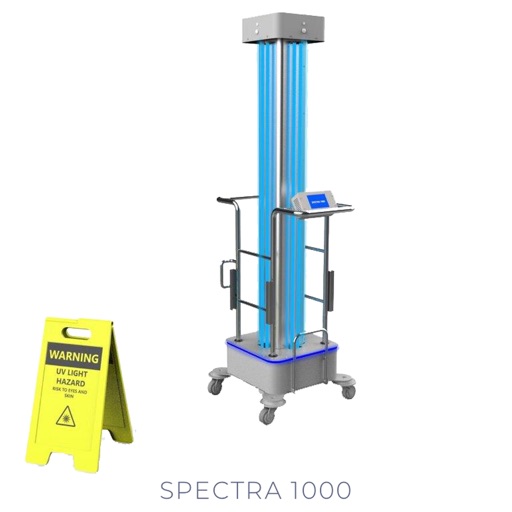
Control and monitor UV disinfection devices via Bluetooth. Start and stop disinfection sessions. View real-time status and settings. Adjust parameters for targeted cleaning. Receive notifications on session progress.
Send test notifications to iOS and Android devices. Configure messages with custom payloads. Support for APNs and FCM protocols. Manage multiple device tokens. View delivery status and logs. Export notification history.
Manage multiple displays with full resolution and bit depth control. Adjust settings to use all available resolutions. Bypass operating system restrictions to access hidden options.
The app scans the local network for INSTAR IP cameras. It provides access to cameras, IP configuration changes, firmware updates, and file downloads from camera SD cards.
The app provides management and programming for Gesco devices with a GSM communicator. Users can configure multiple systems, name arming states, change system status, and view logs.
Control your gas fireplace insert remotely via smartphone or tablet. Adjust temperature settings, turn the fireplace on or off, and create personalized heating schedules. Monitor fireplace status and adjust settings from anywhere.
Monitor servers, track events, submit support requests
Monitor server performance and status in real-time. View detailed metrics and alerts. Report critical issues via self-service ticketing, AI chat support, or 400 hotline. Receive remote expert assistance for troubleshooting and system stability.