Apps Like Universal Remote: Smart TV+ for iPhone and iPad
Control your TV with a tap
Control TV power, volume, and channels with single-tap commands. Navigate menus using a built-in keyboard or touchpad. Pair with Apple Watch for remote control. Manage multiple TV brands via WiFi.
by Suna Ordulu★ 4.215 ratingsUtilitiesFreeData updated 2026-09-06
Control Samsung, LG, Sony, Roku, Philips, or TCL TVs from your iPhone without additional hardware. Navigate menus, adjust volume, and switch channels. Pair with multiple TVs and manage settings remotely.
Your smart TV with a smartphone . Adjust volume, change channels, and navigate menus. Record and share screen content. Support multiple TV brands and models.
Your smart TV with a mobile featuring a virtual keyboard, touchpad, and channel list. Find personalized recommendations using AI. Pair device with TV via Wi-Fi for remote operation.
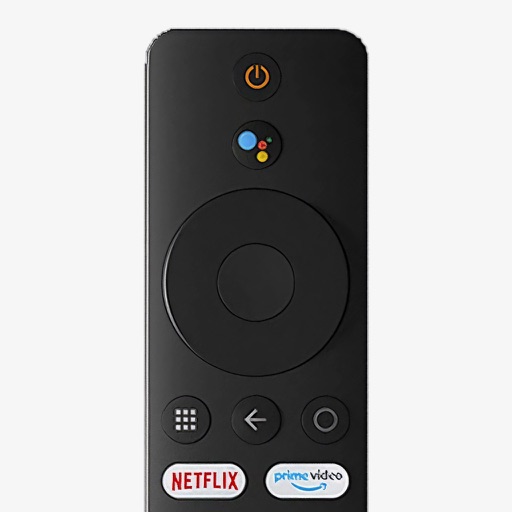
Control your Mi Box with full remote functions including volume, power, and navigation. Manage apps by opening, closing, and switching them from your phone. Use voice search to find content and control playback.
Control your TV remotely using your device. Adjust volume, change channels, select apps, and navigate menus. Use on-screen keyboard for input. Subscription required for full features.
TV functions via smartphone without a physical . Change channels, navigate menus, and manage launches. Adjust volume, pause, and rewind content. Connect to TV over Wi-Fi on the same network.
For allows users to control and manage their device. It automatically detects devices on the network. Users can navigate channels, launch apps, and type using a virtual keyboard. The provides a clean interface and includes all features of the .
TV with smartphone as a . Navigate menus, adjust volume, and select inputs. Manage multiple devices with one . Access keyboard and search functions. Pair with Wi-Fi or Bluetooth for connectivity.
Control TV functions like volume and channels via smartphone. Access favorite apps and services from a media center interface. Support for all basic TV operations. Includes dark mode for nighttime use.
Control your TV or streaming device via the . Connect devices to the same WiFi network for automatic setup. Use a trackpad or traditional layout to navigate. Access all installed apps and channels directly.
Stream media from your Camera Roll to TV. Connect devices to the same Wi-Fi network and pair them for setup. Use the control to manage playback. Access apps and channels on-screen. Input text with the keyboard for searches.
TV functions remotely without a physical . Support multiple TV models and operating systems. Customize buttons based on TV type. Adjust volume, channel, and input settings. View TV status and power settings.
TV channels and adjust volume remotely via iPhone or iPad. Connect to Smart TVs, Roku Player, and other devices. Access popular streaming services like Netflix and YouTube. Setup with Wi-Fi auto-detection.