This solitaire game requires skill over luck, as most deals can be solved with the right strategy. Users can move cards with a tap or drag, aiming to place all cards in the foundation piles.
Play solitaire with classic Klondike rules and new card designs. Move cards between tableau piles, build sequences down from King to Ace. Complete foundations by matching card suits. Undo moves and restart games.
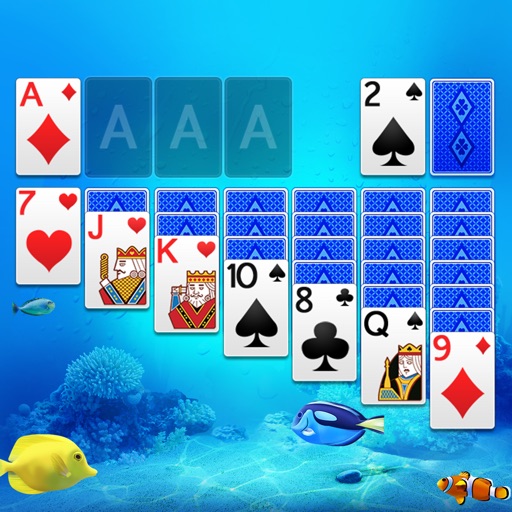
Play card games by arranging 52 cards into 4 foundation piles sorted by suit from Ace to King. Move single cards or sequences between 7 tableau columns in descending order with alternating colors. Empty columns can only start with a King.
Play by arranging cards in descending order within suits. Move cards between stacks to build sequences. Complete levels with increasing difficulty. Access daily challenges for additional gameplay.
Play with classic game elements and a modern interface. Compete against other players in -time matches. Earn and cash out prizes. Track progress and achievements. Participate in tournaments with varying difficulty levels.
Play with a simple, easy-to-use interface optimized for . Manage card piles, undo moves, and track progress. Adjust font size and color contrast for better visibility. Share scores and compete with friends via social media links.
Play a solitaire card game with large, easy-to-read . Tap or drag to move . Complete levels by arranging in order. Track progress and replay previous games.
Play classic with Klondike gameplay. Move cards between tableau piles, build sequences down from King to Ace. Use unlimited undo and hints. Track statistics and set timed challenges. Choose to draw one or three cards. Autocomplete completed layouts.
Play with biblical themes and prayer prompts. Navigate through card levels while reflecting on scripture. Track prayer progress and set devotion goals. Share achievements and connect with a faith-based community.
Play with HD graphics and large cards. Enjoy animations for wins. Access winning deals for solvable layouts. Switch between portrait and landscape modes. Play left or right-handed on any iOS device.
Play FreeCell by arranging cards to build sequences from ace to king in each suit. Move cards between piles, use the free cell space for temporary holds. Customize backgrounds or upload personal images. Tap or drag to interact with cards.
Play with large card displays and intuitive controls. Use unlimited undo, hints, and autoplay features. Track performance stats and compete on a leaderboard. Adjust game settings for personalized play.
Play with multiple game variations and customizable settings. Use features like Winning Deals, Deal Preview, and Hints to strategize. Choose from different backgrounds, card styles, and photo card backs. Track progress and replay previous .
Play by sorting cards into 4 suits in ascending order from Ace to King. Tap, drag, or drop cards to move them. Complete levels by clearing all cards from the tableau. Track progress and replay previous games.