Take photos using both front and rear cameras. Adjust focus, exposure, and white balance. Capture videos with manual controls. Edit images with basic tools. Save and share photos directly.
by Takahashi Kanna★ 0.00 ratingsPhoto & VideoFreeData updated 2026-09-06
Photos to free up storage without losing quality. Reduce file size for easier sharing and faster uploads. Adjust compression settings to balance quality and file size. Export compressed images directly to albums.
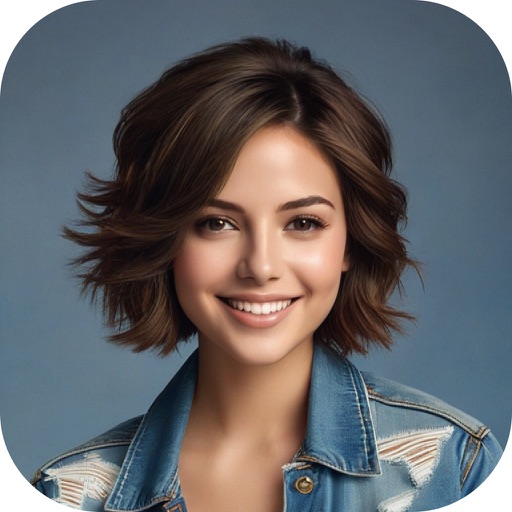
Edit photos with facial tools to smooth skin, remove blemishes, and brighten eyes. Adjust body shape and proportions with precision. Apply filters, crop, and save edits in various formats. Share edited images directly from the .
Edit photos with a variety of filters and effects. Add styled text and decorative elements. Save and share edited images directly. Create visual compositions with intuitive tools.
Edit photos to try on virtual clothing using AI technology. Adjust fit and style with intuitive controls. Save and share edited images directly. Sync with social media platforms for easy posting.
Swap faces using AI technology to create realistic face swaps. Choose from various categories like professional, autumn, black and white, animals, or fashion. Edit and save the modified photos directly.
Edit photos with AI-powered tools for skin smoothing, sculpting, and makeup application. Adjust lips, eyebrows, and hair color with precision. Apply filters and simulate beauty enhancements. Share edited images directly.
Capture photos with built-in live filters in landscape or portrait mode. Adjust saturation, contrast, brightness, exposure, and sharpen. Apply crop, gamma, haze, sepia, or color invert.
Take selfies with real-time filters and frames. Adjust skin tone and brightness. Add sparkle effects and enhancements. Capture photos with customizable settings. Share edited images directly.
Remove unwanted objects from photos using AI-powered erasing. Edit images with advanced tools for color correction and detail enhancement. Crop, adjust brightness, and apply filters. Share edited photos directly to social media or messaging apps.
Enhance quality using AI to sharpen details and improve clarity. Colorize and unblur old or damaged images. Convert low-resolution photos to high-definition. Edit colors, adjust brightness, and remove noise. Save and share enhanced photos directly.
Edit photos by selecting from gallery or camera. Add background images from a large collection. Draw on images using finger. Adjust and enhance photos for creative effects. Share edited images directly.
Edit photos by applying multiple effects and choosing from various stylish frames. Adjust image position, size, and angle finger gestures. Save and share modified photos directly.
Edit photos with 50+ filters and flare effects. Adjust contrast, brightness, saturation, and exposure. Add text with custom fonts and colors. Apply splash effects with multiple shapes and background blur. Save and share edited photos.
Take photos with face detection that guides proper alignment for European and Schengen Visa requirements. Automatically adjust and share or print the resulting in multiple formats.
Dress characters in costumes and take photos. Select from various costume options. Save photos to device or share via social media. Adjust image settings for quality and resolution. Perform shoots for parties or events.
Capture photos and display them in real-time on large screens via AirPlay or monitors. Edit images with filters and effects. Share instantly or save them for later. Create instant memories for events like weddings and parties.
Remove unwanted objects from photos with one-tap selection. Edit images to eliminate distractions like people or power lines. Save and share edited photos directly. Adjust background details for a cleaner look.
Decorate photos with customizable and effects. Select images from the gallery or capture new ones. Adjust position, size, and angle. Save, share, or upload edited photos to social media platforms.
Decorate photos with customizable and effects. Choose images from the gallery or capture new ones. Adjust position, size, and angle. Save, share, or upload photos to social media platforms.
Decorate photos with customizable and effects. Choose images from the gallery or capture new ones. Adjust position, size, and angle. Save, share, or upload photos to social media platforms.