Take photos using both front and rear cameras. Adjust focus, exposure, and white balance. Capture videos with manual controls. Edit images with basic tools. Save and share photos directly.
by Takahashi Kanna★ 0.00 ratingsPhoto & VideoFreeData updated 2026-09-06
Take standardized photos and videos of patients using framing templates to avoid distortions. Use device angle sensors for accurate shots. Capture ghost photos based on shadows. Compare before and after images for visual assessments.
Set intervals and number of shots per interval. Capture photos automatically. Review and select desired images after the session. Share selected photos directly.
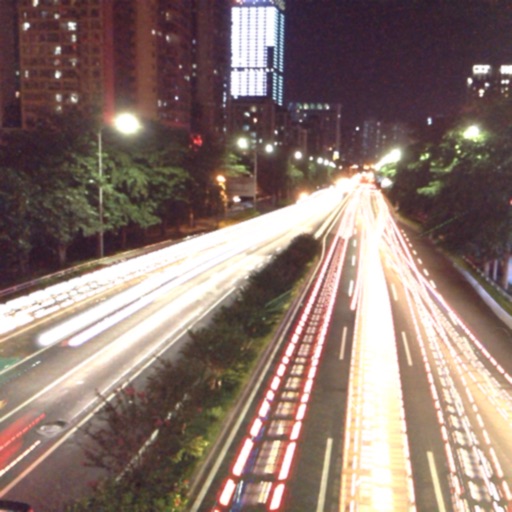
The app captures photos using slow shutter speed effects to create light trails and streams. Users can control exposure time and focus for motion blur photography.
The app allows users to adjust camera settings like shooting angle, white balance, and exposure. Users can view the camera's live view, record video, and take photos using their smartphone.
Take property photos with guided shooting modes and auto-stabilization. Adjust exposure, brightness, and color in real time. Export images directly to BoxBrownie.com for professional editing. Share edited photos via email or cloud storage.
Edit photos using advanced tools like Curves, Selective Saturation, Vignette, Sharpen, Contrast, Exposure, and Tone. Apply Dust and Leak overlays for stylistic effects. Adjust brightness, color, and clarity. Save and share edited images directly.
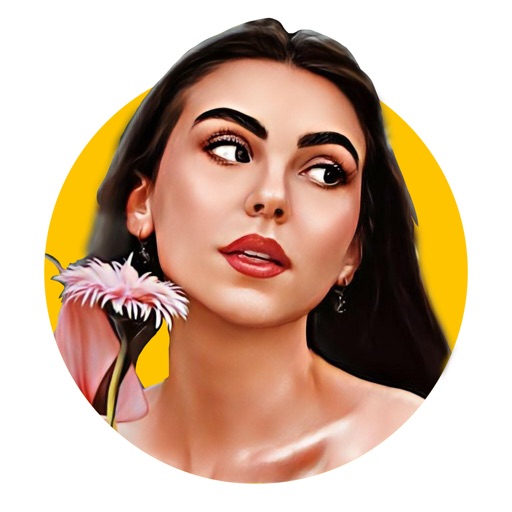
Create -style portraits using AI-generated filters like Renaissance, Comics, 3D, and 2D. Customize layouts and backgrounds. Edit photos with built-in tools. Use pre-designed templates for profile pictures. Save and share edited images directly.
Edit photos using AI-powered transformations and ultra-realistic enhancements. Adjust lighting, colors, and details automatically. Remove objects or edit backgrounds with AI. Export edited images in various formats and share directly.
Edit photos using filters to mimic the look of film taken in . Adjust brightness, contrast, and color balance. Add borders and vintage effects. Share edited photos directly to social media.
Capture and edit photos with AI-powered enhancements. Adjust colors, brightness, and contrast. Apply filters and effects. Add text and stickers. Export in various formats and share directly.
Edit photos by reshaping facial features such as noses, lips, and chins. Adjust parts to simulate weight loss or enhanced muscle definition. Modify any feature with drag, expand, or shrink tools. Save and share edited images directly.
Upload photos from the photo album or capture images with the device camera. Analyze the photo to determine the coolness of the person in it. Share results directly from the .
Turn photos into animated videos using AI. Select a template, apply motion effects, and generate a . Edit animations, adjust timing, and export or share the result.
Capture photos and videos with light leaks, film grain, and warm tones. Apply vintage filters and adjust exposure. Record audio during shoots. Save and share media directly. Sync with social platforms for instant sharing.
Apply effects to photos and videos by inverting colors. Adjust brightness and contrast. Save edited media to gallery. Share directly from . Draw on images to customize effects.
Edit photos by converting them into -style avatars using AI technology. Adjust facial features and style settings. Save and share edited images in various formats.
Merge two photos using blending modes and adjust effect strength with a slider. Save and share combined images. Edit photos with fusion tools and HDR enhancements.
Uses AI to repair damaged photos by removing scratches, tears, and fading. It automatically enhances image quality and colorizes black-and-white photos. Users can and share edited images directly.
Objects, people, blemishes, and pimples from photos using AI-powered erasing. Edit images by selecting areas to . Save and share modified photos directly. Subscribe to access advanced erasing features with automatic renewal.