Calculate with trigonometric and exponential functions
Store values by pressing "STO" and selecting a memory slot. Perform basic arithmetic and advanced mathematical functions including sine, cosine, logarithm, and exponential.
Create and edit digital art with customizable brushes and color palettes. , , and apply filters. Import and modify photos. Save and share artwork. Sync with Apple Health for progress tracking.
Learn differential calculus, solve equations, and work with matrices and CAS functions using step-by-step guides. Swipe through 220 screenshots showing exact key presses. View detailed instructions for graphing operations.
Teach reading and writing through -based lessons. Practice letter sounds, blend sounds into words, and write simple sentences. Include interactive games, progress tracking, and printable worksheets for home or classroom use.
Solve problems with step-by-step solutions. Input equations for automatic solving and animated explanations. Access over 1,000 sample problems. Use scientific and graphing calculators. Track progress and review detailed solutions.
Teaches phonemic awareness through sounds. Helps children identify beginning sounds. Includes interactive activities for sound recognition. Builds foundation for reading by linking letters to sounds.
Track phonemic awareness, spelling, and grammar progress with structured lessons and assessments. Include interactive activities for engagement. Support lesson planning and progress monitoring for teachers.
Solve equations and plot graphs with precision. Access a formula library to input and calculate formulas with automatic unit support. Find intersections, integrals, and derivatives through intuitive plotting features.
Offers hundreds of patterns featuring flowers, sea, and fantasy scenes. Users can with customizable tools and save their work. Includes blank pages for freehand and relaxation.
The app offers live-calculated brushes and strokes that interact with a generated canvas texture. Users can adjust parameters like color and size while painting, and stroke size changes based on fingertip contact with the screen.
Calculate lengths, angles, and area of shapes. Select a shape from a list. Input values into text boxes linked to orange points. Adjust point positions using the NEXT button or tapping points.
Build and customize structures using 17 block types and 8 colors. Save up to 3 data sets automatically. Undo accidental actions and restart. Stack up to 5 at once. Rotate and zoom objects with touch controls. Destroy creations in explosion mode.
The app provides tools for realistic oil painting and unique effects like Worm Pen. It features live-calculated brushes and strokes that interact with a generated canvas texture.
Graphing allows users to visualize mathematical functions with interactive sliders. Adjust parameters to see real-time changes. Explore multiple graph types. Save and share . Track progress with learning goals. Sync with educational platforms.
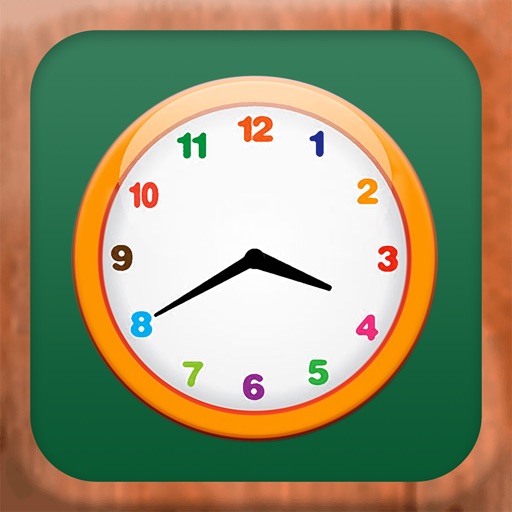
The app helps children understand and tell time using digital, analog, and number-word clocks. It offers practice and game modes to build fluency in reading and setting time on various clock types.