Capture recordings of games or apps with smooth, stable performance. Use simple controls for quick captures. Choose Ultra HD or adjust resolution, bitrate, and FPS for custom quality. Rename files and manage storage through the History feature.
by Andy Sutanto★ 4.864 ratingsPhoto & VideoFreeData updated 2026-09-06
Create videos using AI-generated templates for TikTok, Instagram Reels, and YouTube Shorts. Add auto-synced captions and beats. Convert text or images into videos. Remove backgrounds and auto-cut clips. Apply AI effects for enhanced visuals.
Record in HD or 4K with one tap. Capture live reactions using FaceCam. Add internal or external audio. Stream directly to YouTube. Save recordings in various formats. Share recordings via social media or messaging.
Convert videos between formats including MP4, MKV, AVI, MOV, and more. Compress files, adjust resolution, frame rate, and bitrate. Extract audio to formats like MP3, AAC, and WAV. Support multiple and audio codecs such as H264, VP9, and AC3.
Create videos by adding , applying effects, and inserting subtitles. Edit videos with audio and images. Choose from popular themes and . Share finished videos on YouTube Shorts, TikTok, and Instagram.
Record videos in 1080p HD resolution. Capture audio and microphone sound simultaneously with clear quality. Adjust resolution, frame rate, and bitrate settings. Compress, change playback speed, or mute videos as needed.
Record videos and photos from the device camera or camera roll. Arrange and trim clips. Add text titles and captions. Apply styles and transitions. Export videos in various formats and share directly.
Record , microphone, and webcam in ultra-high quality. Capture online meetings, create tutorials, and record video calls. Record system audio and voice. Edit videos by cutting and trimming. Share recordings directly.
Record screen videos on iPhone or iPad running iOS 11. Start recordings by tapping the red record button. Share videos directly to Camtasia for editing. Supports screen recording with extensions.
Convert videos, Live Photos, burst shots, still images, and screen recordings into smooth GIFs. Trim and adjust frames for clean animations. Export as GIF or MP4. Share directly from the .
Record with audio and facecam. Capture full HD videos up to 4K. Record internal or system sound. No time limits or watermarks. Include whiteboard and screenshot features. Convert videos to GIF. Support streaming and audio recording.
Record with full iOS 11 support. Add video reactions and audio commentary for gaming or tutorials. Trim, rotate, and apply filters to videos. Organize recordings in one place. Share videos directly.
Clean and files by removing background noise using AI denoising. Trim, cut, and edit with volume adjustment and frequency tuning. Add subtitles and change voice. Record with built-in cleaner for clear recordings.
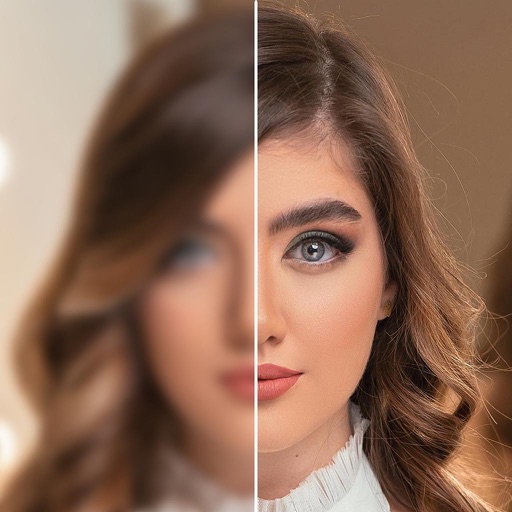
Enhance videos and photos to HD/Ultra HD/4K with before/after comparisons. Apply creative transitions. Retouch selfies to improve appearance. Stabilize shaky footage for smoother results.
AI-powered enhancements improve image clarity and resolution. Batch processing allows multiple edits at once. Edit history tracks changes made to photos. Export options include various file formats.
Record or camera footage with one tap. Share recordings via a link. Create and send asynchronous video messages for feedback, demos, or communication. View and review video content directly within the .
Record with high-resolution video capture for tutorials, gameplay, and more. Edit recordings with trimming, cropping, and effects. Share directly via social media or email. Manage saved files in a centralized library.
Capture photos using various modes including Photo, Burst, Slow Shutter, Portrait, and 3D. Record videos at VGA, 720p, 1080p, or 4K Ultra HD. Use shutter release options like Self-Timer, Anti-Shake, Screen Shutter, and Interval.