Edit photos with automatic face recognition and pixelation. Tap to exclude specific areas. Adjust pixelation style with handwriting options. Save processed images to the photo library.
by Mooseok Bahng★ 0.00 ratingsPhoto & VideoFreeData updated 2026-09-06
, IDs, and books to extract text and images. Edit scanned content with rich tools. Export to office formats like PDF and Word. View and annotate scanned files. Convert between formats.
A retro simulates low-resolution image capture with vintage artifacts like bayer filter patterns, noise, and blooming. Users can pinch to zoom, adjust exposure, and export photos in JPEG format.
Create videos using personal photos and . Select images from the Photo Library, apply transition animations and set frame durations. Save videos to the Photo Library or share them directly.
Together vertically or horizontally. Combine chats, web pages, or side-by-side images into one image. Redact private information before sharing. Save and share the combined image directly.
AI Photo improves blurry, old, or low-quality images using AI to remove blur and enhance details. Image restoration tools repair damaged photos. Facial analysis evaluates beauty with accuracy. Users can adjust brightness, contrast, and color.
Lets users exchange faces between photos. Users can entire faces or specific features like eyes, lips, and nose. Multiple swaps are allowed in a single . Faces can be copied, saved, and reused in other images.
Select from your gallery to create boomerang-style . Adjust playback speed and direction. Set repetition count. Add text, stickers, and images. Convert to boomerang, GIF, or Live Photo formats.
Create retro-style art with filters, color overlays, and glitch effects. Adjust brightness, contrast, and saturation. Add text, stickers, and pixelation. Export images in various formats and share directly.
Take selfies with a self-timer camera. Apply beauty filters for face slimming and eye enlargement. Use real-time makeup features. Add dynamic stickers. Capture photos with super multi-burst mode. Share edited content directly.
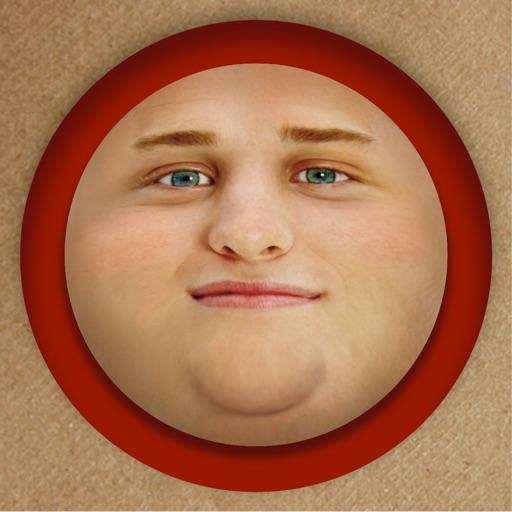
Edit photos by adding exaggerated weight gain effects to faces. Share modified images via email, iMessage, Instagram, Snapchat, Facebook, Twitter, and WhatsApp. Toggle between original and altered views using device shake.
Convert photos and videos to art with 30+ styles and 10+ effects. Record art videos directly or apply the style to existing clips. Save results as videos, live photos, or gifs. Adjust settings to customize the pixelation effect.
Create and edit videos with effects, pixelation, or blurring. Highlight specific segments or use a magnifying glass for close-ups. Annotate videos with boxes and share edited content directly.
Edit photos with advanced tools like layers, masks, and adjustment brushes. Crop, rotate, and resize images. Add text, stickers, and special effects. Export in various formats and share directly.
Edit photos with mosaic, pixelation, vignette, overlays, and HDR effects. Apply shattering effects with real-time adjustments. Export edited images in various formats and share directly.
Create mosaic or effects on videos. Choose from four types. Adjust area by dragging or pinching. Modify blurriness with swipe gestures. Apply effects to specific sections in timeline mode.
Edit photos by applying customizable textures from a library of 45+ patterns. Adjust brush size and texture opacity for precise control. Change texture colors to match the image's tone using the Tint feature.
Crop and rotate images into various shapes. Add text, arrows, and shapes for annotations. Pixelate sections or draw freehand. Share edited photos directly with contacts.
Edit photos by applying local filters to specific image areas or text. Add multiple graphics and text elements with different filters. Export edited images in various formats and share directly.
Convert images to for easier sharing via Airdrop. Adjust quality and compression settings. Export converted files to photo albums or cloud storage. Support for batch conversion and manual file selection.