Draw lines by turning dials or using directional buttons. Choose colors and line widths. Shake device to erase drawings. Create simple sketches in a retro style.
by SEOK HO JEON★ 0.00 ratingsGraphics & DesignFreeData updated 2026-09-06
Learn to draw with -by- tutorials and AI guidance. Use your phone's camera as a projector to trace and practice. Access drawing lessons for all skill levels, from beginner to advanced.
Draw and with customizable brushes and layers. Edit images with adjustment tools and filters. Import and export files in various formats. Use gesture controls for quick navigation and editing.
Use phone camera to project anime-style templates onto paper or surfaces. Trace outlines to create art. Adjust lines and colors. Export drawings in various formats. Sync with digital tools for further editing.
On two backgrounds with adjustable line sizes. Continue drawing on previous sketches. Include calming music. No internet required. No data collection. Use colorful or shiny pens for creative expression.
Create and color images using a variety of tools and templates. Choose from different color palettes and brushes. Save and share completed artwork. Include interactive to teach colors and shapes.
Draw on a virtual canvas with responsive touch input. Adjust brush size and opacity. Save and share drawings directly. Supports multiple layers and color options.
Create and customize drawings using various tools like pen, line, arrow, rectangle, ellipse, and eraser. Choose from multiple colors including black, white, red, blue, yellow, and more. Save or share generated images directly others.
Create images, drawings, and paintings with customizable brush settings including thickness, color, transparency, and dynamic intensity. Sketch and modify simple graphics for logos, clothing, hairstyles, and more.
Allows children to draw using color selection, shape tools, and an eraser. It plays when drawing and includes a random color option. Users can change line thickness and save drawings.
Create and edit drawings using augmented reality. in real-time with touch or stylus. Adjust colors, brush sizes, and opacity. Share drawings directly or export as images.
Use the to project real-time grids and guidelines for precise . Adjust grid size, opacity, and angle. Import sketches or paintings for reference. Save and export artwork in various formats. Sync drawings across devices.
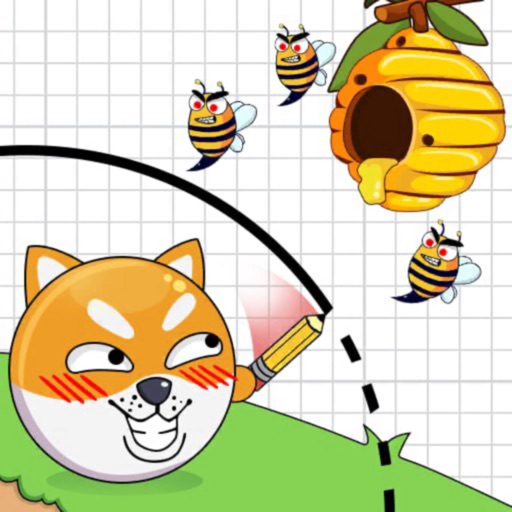
Draw lines to create barriers protecting a dog from bees, bombs, lava, and spikes. Navigate levels to the dog. Use drawing tools to block hazards and progress through challenges.
Children can draw using step-by-step templates in cartoon and kawaii style. They can choose colors, add stickers, and save their artwork. The includes guided exercises and a safe, child-friendly interface.
Create visual content using AI-generated art. Upload photos to animate them with live effects. Customize styles and colors. Export and share finished artwork directly.
Create and edit images with basic drawing tools. Draw freehand or use shapes and lines. Add text and colors. Save and share drawings directly. Import and modify existing images.
Measure distances, heights, widths, lengths, and calculate
Measure distances, heights, widths, and lengths using your phone's camera. Calculate areas and save measurements. Share results via email or messaging.