Scan QR codes and barcodes including Datamatrix, Code128, Code39, EAN-8, EAN-13, Google Auth, and more. Retrieve product and food details. View scan history, organize with folders, and perform batch scans. Export data as CSV.
Control your ThinQ TV remotely using a smartphone. Navigate menus, change apps, and adjust settings. Switch between light and dark mode. Connect via Wi-Fi and enter a PIN code for setup.
TV functions like volume, channels, and input sources from a mobile device. Connect via WIFI to compatible brands including Samsung, Roku, LG, Sony, FireTV, AndroidTV, Vizio, and Hisense. Adjust settings and manage playback directly through the .
Smart TVs with full remote functions including channel changing, volume adjustment, and menu navigation. Support major brands like Samsung, LG, Roku, and Sony. Connect via Wi-Fi without hardware. Features a clean interface for intuitive use.
Fire TV or media player via swipe gestures and touch controls. Access keyboard for text input and search. Cast photos and videos. Quickly launch favorite apps and channels. Automatically connect to devices on the same Wi-Fi network.
Control TV power, volume, and channels via smartphone. Navigate using a built-in touchpad. Connect to multiple devices and manage settings remotely. Support for various TV brands and models. Adjust input sources and mute functions.
Control TV functions including volume adjustment, channel switching, and streaming service access. Launch channels directly. Connect via Wi-Fi without manual setup.
Control TV with full functions for channel surfing, volume adjustment, and power management. Cast videos, music, and photos to the TV via Wi-Fi. Connect quickly with an intuitive interface for straightforward navigation.
Control smart TVs remotely via phone. Automatically detect devices on the same Wi-Fi network. Support major brand Smart TVs. Access all essential functions including power, volume, channel navigation, and input switching.
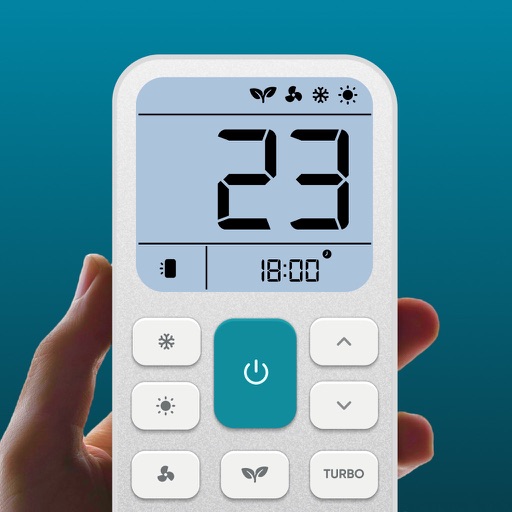
Control air settings from a smartphone. Adjust temperature, switch modes, set timers, and change fan speed. Connect to multiple AC units. Compatible with various brands. Manage cooling or heating remotely. View and adjust schedules.
Allows users to adjust volume, change channels, and playback. Launch apps, navigate menus with swipe gestures, and type using a phone keyboard. Connect via Wi-Fi for quick pairing.
Control your TCL Smart TV with full access to power, volume, channels, input sources, and playback. Connect instantly via Wi-Fi and navigate using a touchpad. Adjust settings and manage playback directly from your smartphone.
Smart TVs with on-screen buttons and voice commands. Switch inputs, adjust volume, and navigate menus. Manage multiple devices in one interface. Receive AI-based recommendations for content and settings.
Control AC temperature, fan speed, and sleep mode via smartphone. Adjust settings with an intuitive interface. Access energy-saving modes and customize preferences. Monitor and manage cooling settings remotely.
: Tap Tool allows users to automate screen taps and swipes. Set custom intervals, durations, and repeat frequencies. Record and replay gestures for repetitive tasks.
Mirror device in real-time to smart TV. Stream videos, photos, and presentations wirelessly. Connect via Wi-Fi without cables. Supports audio and video playback with low latency. Compatible with major TV brands. Simple setup for quick use.
Manage TV functions including power, volume, channels, and inputs. Control smart TVs via Wi-Fi with quick setup. Use touchpad and keyboard for navigation. Access a clean interface for straightforward operation.
Control TV with remote functions. Cast photos, videos, and media files from camera roll or cloud storage. Stream music tracks and internet content via built-in browser. Create photo slideshows and manage playback controls.