Edit photos with five unique effect tabs: Ultra Enhance, Glow Artist, Cut-Out Pro, Trippy FX, and Mega Frames. Apply one-tap filters, preview edits, save to library, or share directly within the .
by Barat Payalben★ 0.00 ratingsLifestyleFreeData updated 2026-09-06
Edit photos with retro filters, aesthetic effects, and a free retouch pro plugin. Apply magic presets and dazzling effects. Adjust colors for portraits, influencer shots, film, black and white, nature, urban, and travel photos.
Create collages by combining photos into -shaped frames. Apply filters and adjust colors. Share collages directly or save in various formats. Organize memories in a single album.
Beijing Lingguang Zaixian Information Technology Limited
Capture photos and videos effortlessly
Allows users to capture photos with intuitive camera controls. Access a library of preloaded lenses and filters. Edit images with basic adjustments. Share photos directly or save for later. Purchase and download additional camera models and lenses.
Customize Apple with particle designs, colors, and textures. Add personal photos and wallpapers. Preview designs in AR. Install images and animated directly to the . Edit and save face settings.
Trim, cut, and crop videos with precision. Add transitions, text, and music to enhance content. Export videos in various formats and share directly to social media or messaging apps.
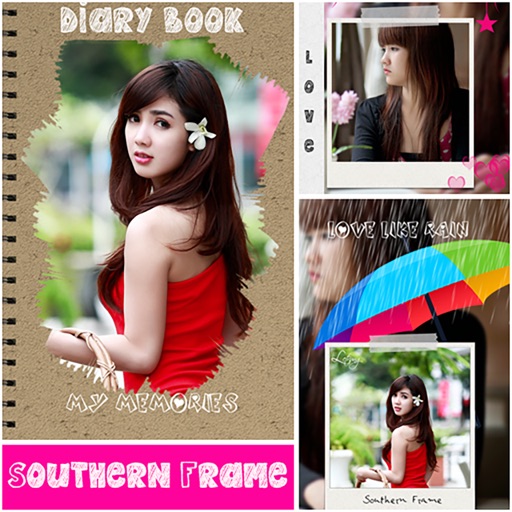
Select a photo and preview it in over a hundred frame options. Order a handmade framed print for delivery within days. View order status and manage print preferences.
The app offers custom-made filters, effects, and tools for photo enhancement. Users can create filter collections and access exclusive store content for further creative editing.
Select photos from gallery or photo library. Choose from numerous PIP frames. Use single image for both foreground and background or different images for each. Edit foreground and background separately. Apply photo filters.
Optimized for iPhone models from SE to Pro Max. Categories include seasonal and limited edition options. Preview on lock and home screens. Download with one tap. Features daily updates and 20+ featured options.
Edit photos with color effects, convert images to grayscale or apply custom colors. Adjust hue, saturation, contrast, and sepia tones. Save and share edited images directly.
Take selfies with a live beauty and apply custom filters. Create collages in 18 styles with masks and frames. Add spiral or neon effects to photos. Enhance and save library images. Capture selfies with a timer.
The app transforms user photos into videos using an AI that analyzes quality, faces, composition, and lighting. It offers over 40 transitions, a music library, and export options for various social platforms.
Edit photos using aesthetic filters and popular effects. Apply stylish templates and create rich collages. Enhance images with easy-to-use tools and share directly to social media.
Edit photos with filters, collages, and stamps. Add text and stickers. Save to albums. Share directly to blogs and social media. Apply toy camera effects. Adjust brightness and contrast. Crop and resize images.
Apply Lightroom presets to enhance photos with filters, adjustments, and effects. Choose from urban, vintage, winter, travel, and portrait presets. Export edited images directly from Lightroom.
Allows users to play by puzzles with high-resolution images. Users can select colors, fill in numbers, and complete artwork. Features include undo options, zoom capabilities, and save progress.