A calculator with support for imaginary unit i, summation, and product symbols. Perform complex mathematical operations. Users can suggest additional features for future updates.
by 世昌 肖★ 0.00 ratingsUtilities$1.99Data updated 2026-09-06
Allows users to perform calculations and unit conversions within a single . It supports over 200 units across various categories. Users can input equations, view results, and convert units instantly.
The app converts standard ASCII text and symbols to Binary, Hexadecimal, Base64, SHA1, and MD5 formats. Users can copy and send converted text for decoding back to standard ASCII.
Calculate roof dimensions including lengths, angles, heights, and layouts for hipped, gabled, and single-pitch roofs. Determine birdsmouth measurements and pitch. Switch between metric and imperial units. Set default values for common inputs.
Calculate asphalt needs, contact sales, get directions
Calculate asphalt quantities for projects using precise measurements. Input project dimensions to estimate material needs. Contact sales teams for assistance. Obtain directions to nearby plants for material pickup.
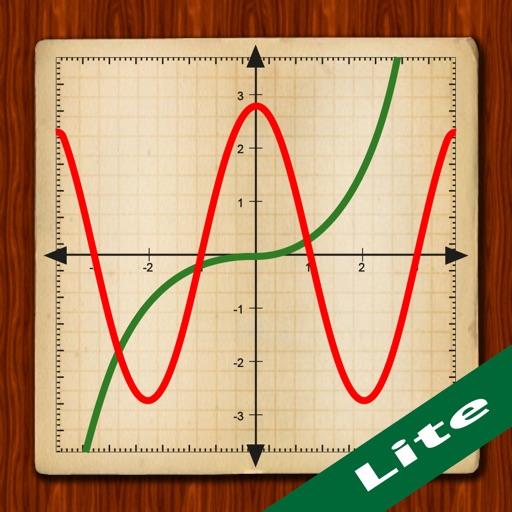
Scientific calculator with powerful graphing functions.
The app provides a scientific calculator with a history tape and graphing capabilities for up to four functions. Users can zoom, pan, and trace graphs, and view function values in a table.
Calculate construction measurements with precise formulas for roofs, walls, and angles. Input dimensions to generate material quantities. Convert units and estimate costs. Save and share project data. Sync with construction plans.
Calculate proportions using direct and inverse methods. Input known values to find unknowns in equations like "If X Foo equals Y bla, then Z Foo equals [?] bla". Solve for price, quantity, or other proportional relationships.
Calculate tips based on the total amount. Split bills among group members. Adjust tip percentages and view total amounts per person. Share results via text or email.
Perform calculations for generators and UPS systems, including single and three-phase setups. Convert lumens to watts and calculate fuel consumption. Determine ampere values from kilowatts and kilovolt-amps.
Log tips quickly by entering daily earnings. View progress tracking and historical data. Save entries instantly without registration or additional steps.
Allows users to input prices and calculate tax amounts. Users can specify tax rates and view results for tax-inclusive, base price, and tax. Adjust tax rates directly and see calculated values displayed in separate columns.
Calculate total length, emitters, flow, and application rate for each zone. Recommend products and accessories based on plant type, soil, and project size. Input project details to generate accurate irrigation specifications.
Calculate ratios for chainrings 44–70 teeth and cogs 8–20 teeth. Determine speed and cadence based on selection. Find the next higher or lower available in your current setup. Sync data between iPhone and Apple Watch.
Calculate material quantities for landscaping projects by entering dimensions and selecting materials. Generate take-offs for gravel, soil, mulch, and concrete in cubic yards or meters. Export estimates and track project costs.
Calculate using functions including sin, cos, tan, and their inverses. Convert units with 136 converters. Access daily updated currency exchange rates. Perform algebraic calculations with 800+ formulas. Switch between degrees, radians, and grads.
Calculate feet using length, width, and thickness in feet, inches, centimeters, meters, or yards. Input quantity for total feet. Convert between imperial and metric units in real time.
Calculate and steel weights using customizable units and industry-specific formulas. Input dimensions and material grades to get accurate results. Switch between imperial and metric units. Provide feedback for improvements.
Offers a standard and scientific with over 30 operations. It supports iCloud sync across devices. Users can add notes to calculation history and share entries. A live voice is available.