Create custom stickers by writing dialogues and saving them to your phone. Share stickers with friends. Export images with transparent backgrounds for use as overlays in videos or pictures. Includes ads that do not obstruct the user experience.
by Alejandro Alfonso★ 5.02 ratingsEntertainmentFreeData updated 2026-09-06
Edit photos with over 900 effects including montages, frames, and caricatures. Create collages and holiday e-cards. Apply filters and adjust colors. Remove watermarks and export images without ads. Share edited photos directly.
Create collages by combining photos and templates. Add text, stickers, and frames. Choose from various styles and themes. Share finished collages on social media or via email. Edit images with basic tools like cropping and brightness adjustment.
Videos by selecting backgrounds, trimming clips, and adding kids characters. Overlay text and use green screen to remove backgrounds. Apply keyframes and animations for custom effects. Export and share finished videos.
Set wallpapers and lock screen images from a collection of HD and Kaiju backgrounds. Preview images directly on the device. Customize settings. Download and apply free wallpapers without additional steps.
Edit with , , and collage tools. Create montages and custom layouts. Adjust brightness, contrast, and saturation. Add text and stickers. Export edited images in various formats.
Create memes by selecting images from device or Google Images and adding text. Share memes via Facebook, Telegram, WhatsApp, or save to Camera Roll. Includes a gallery section for viewing and using existing memes.
Create and combine emojis by merging different expressions. Customize designs with various elements. Share created stickers with others. Explore endless combinations for creative expression.
Two photos to create a double exposure effect. Adjust blending modes and positions to merge images. Apply filters and share results on social media platforms like Instagram and Facebook.
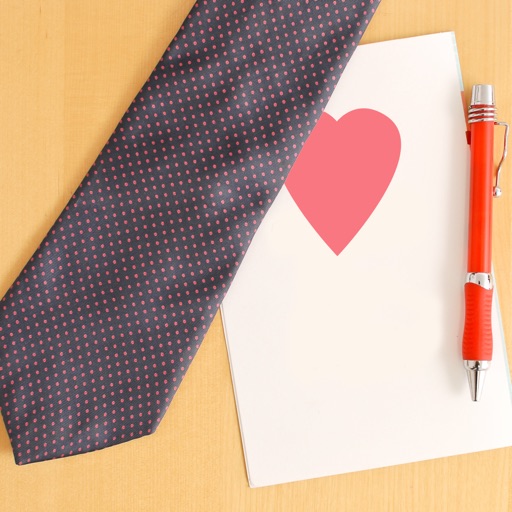
Create personalized cards with customizable , fonts, and colors. Add icons and stickers for decoration. Choose from romantic backgrounds. Save and share via WhatsApp, social media, SMS, or email.
The app allows users to place stickers of various sizes on backgrounds. Users can clear the page by shaking the device, choose from over 20 backgrounds and 40 stickers, and save creations to the gallery or email them.
Set wallpapers and lock screen images from a collection of HD fantasy backgrounds. Preview images on your device before setting. Customize wallpapers to fit your screen. All content is available for free without downloads.
Create and customize stickers with AI-generated images and templates. Share stickers across messaging apps like and Telegram. Play classic games with adjustable layouts. Generate stickers and images using AI tools.
Create videos from photos automatic styling and customization. Add stickers, text, and frames. Choose animation modes and apply filters. Share the final directly.
Create items using a virtual wheel and various materials. Design unique pieces by adding glazes and firing them. Share finished creations with friends. Adjust settings to customize the crafting process.
Edit photos with filters, effects, and adjustments. Add text with multiple fonts, colors, and effects. Overlay text or add captions and 3D text. Include stickers, artwork, and frames. Create collages and personalize cards with photos.
Create animated stickers and for iMessage. Send colorful, interactive to friends. Unlock premium features with a subscription. Customize stickers and for pranks and surprises. Share directly within iMessage chats.
Create animated GIFs and stop motion videos with real-time rendering. Add, remove, and reorder frames during editing. Adjust speed, duration, and play mode. Add music and apply filters. Export and share finished projects.
To create pictures of animals, vehicles, famous places, and art. Choose from over 500 images. Complete puzzles offline. Save and share completed artwork. Track progress and revisit saved creations.
The app allows users to place stickers of various sizes on over 20 backgrounds. Users can also color pictures with a crayon tool, add text, and save or share their creations.