Create and customize soundscapes using a semi-modular synthesizer. Trigger sounds with a 2-octave keypad or MIDI keyboard via Apple's camera adapter. Share presets with the desktop version of . Adjust parameters for evolving audio textures.
Create dynamic stereo panning patterns and rhythmic movements for audio tracks. Adjust panning with precise editing and pattern sequencing. Add fluid motion to static sounds or enhance existing audio with evolving stereo effects.
Plugin for music production. Load and play 30 different samples. Adjust timing and velocity. Apply real-time effects and routing. Customize MIDI note mappings for different instruments. Render natural or distorted sounds.
Control 4 parameters of Ableton devices simultaneously using touch. Adjust X, Y, Speed, and Gate values in real time. Connect via USB or Bluetooth. Sync with Ableton via a provided script. Includes a free starter project for sound design.
Turn your iPhone or iPod Touch into a musical instrument. Select chords and strum strings with fingers to create arpeggiated sounds. Edit and share songs, use MIDI support, and transpose notes with in- purchase.
Play MIDI keyboard and pedal inputs to access the 2 sample set. Adjust MIDI settings for keyboard and pedal. Load and manage sample sets. View and modify instrument parameters. Save and recall presets.
Create and customize sounds using FM synthesis technology. Adjust parameters to shape tones and effects. Play back and record synthesized music. Export audio files for use in other applications.
The app allows users to draw sound spectra and play them simultaneously. It offers WAV export, eight timbres, and adjustable octaves from two to eight.
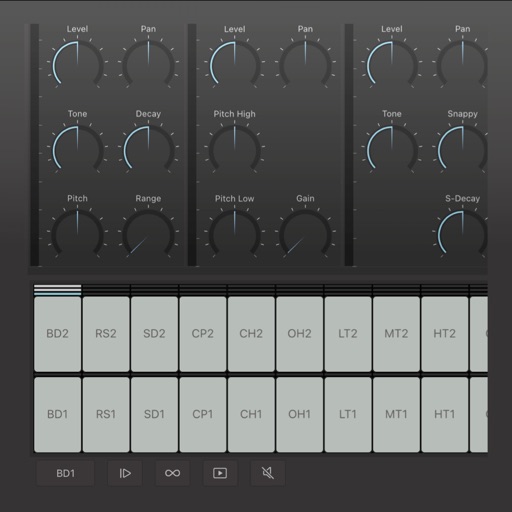
Create and edit drum patterns using 27 drum voices. Apply effects like delay, chorus, and reverb. Automate parameters and sequence 16-bar patterns. Save and load project files for later editing.