Explore 360° virtual art exhibits featuring Ma Zhu landscapes and digital art. Navigate and interact with paintings. Learn about the artists and creative process. Share experiences with others.
by Mu-Chun Su★ 0.00 ratingsEducationFreeData updated 2026-09-06
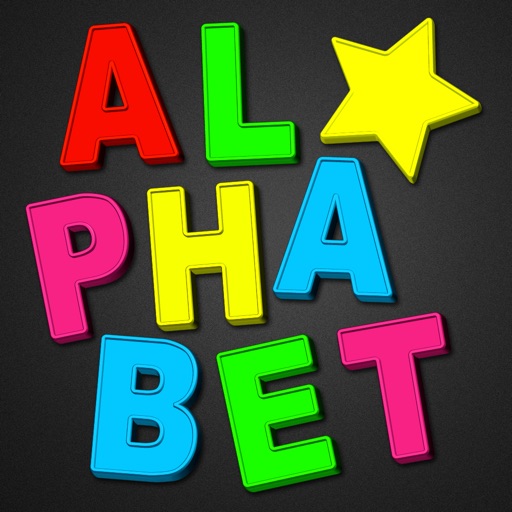
The app provides a digital magnetic board for children to learn the alphabet and numbers. It includes over 1250 pieces, various themes, and backgrounds, allowing for creative expression and spelling practice.
With interactive augmented and virtual experiences. Navigate , access historical and natural information, and download content for offline use. Share experiences and discover park features through technology-enhanced exploration.
Access artwork and artist information based on location. View archival drawings, installation multimedia, and artist interviews. Explore exhibition history and creative processes through detailed content.
Explore ancient sculptures with detailed information.
The app provides three different tours of the Glyptothek collection. Visitors can experience detailed information and stories about many exhibits through audio, video, text, and images.
Learn Japanese kana by matching Hiragana, Katakana, Romanji, and pronunciations. Practice gojūon, yōon, and their variations with dakuten. Choose from different board layouts and sizes. View Japanese-inspired images and vector art.
Explore origins, flavors, and cultural stories. Learn about growing regions, brewing methods, and types. Save favorite beans and track tasting notes. Share insights with others through social features.
The app guides users through two walking trails at the University of Auckland. The Heritage Tour focuses on the history of buildings, sculptures, and landscapes.
Explore stories and learn through interactive visuals
Explore interactive stories through augmented reality. Point camera at marked pages to trigger animations and games. Learn through playful activities that combine real-world exploration with digital content.
Solve jigsaw puzzles based on abstract oil paintings. Select puzzle sizes from 4 to 80 pieces. Pieces snap into place without needing precise alignment. View large, high-quality images on compatible screens.
Explore virtual booths to learn about innovative university programs. Discover career options, participate in activities, and get guidance on choosing a preferred program.
Learn design, art, and entrepreneurship through structured courses. Create and sell products online. Access tutorials and resources for home-based business ideas. Track progress and earn certifications.
Explore a 3D model with 360° rotation, zoom, and camera movement. Select and hide body parts to view labels. Access X-ray mode and real-time animations. Draw on screen, capture screenshots, and share. Listen to audio pronunciations for terms.
Explore scenes, interact with characters, create stories
Explore themed areas like Corridor and Thrill . Interact with characters and create stories for them. Navigate through scenes and discover new environments. Unlock different locations and engage in storytelling activities.
The app provides information on exhibitions, events, and art education programs. Users can also access an interactive drawing pad and the organization's website.
Solve puzzles featuring famous buildings, sculptures, and bridges. Learn about architectural landmarks through interactive puzzles. Unlock levels to train attention, memory, and logic skills. Share completed puzzles with friends.
Explore a 3D book with interactive augmented reality elements. Navigate a virtual kingdom, learn about dragons through storytelling, and engage with animated characters. Access additional learning content and activities related to the book.
Explore educational content through interactive 3D experiences like the Universe, Ecosystem, and Human Anatomy using Augmented Reality. Choose an avatar, play games, and compete on leaderboards.