Record videos with - effects by capturing footage and adjusting scan speed, direction, and timer. Freeze or stretch specific parts of the frame to create surreal visuals. Share the edited videos directly from the .
Print documents and photos from your iOS device using a local wireless connection to a printer or all-in-one machine. Scan documents to your device and preview scans before sending. Edit, fax, and check machine status directly through the .
Take and edit photos with continuous light to reduce glare. Scan multi-page documents and convert to PDF instantly. Organize images into folders, lock them with biometric authentication, and rename individual files.
Record videos with facial tracking to animate photos as celebrities, politicians, or paintings. Switch between multiple faces in a single image. Share videos on social media platforms like Instagram, TikTok, and Facebook.
Capture photos with manual exposure and focus controls, RAW and TIFF support, and real-time adjustments. Edit images with advanced tools, apply effects, and export in high-quality formats. Share photos directly from the .
Digitize negative and positive color films with high-quality scanning. Edit scanned images using intuitive tools. Adjust exposure, contrast, and color balance. Save and share edited photos directly.
Capture high-quality photos with resembling DSLR functionality. Adjust focus, exposure, and other settings via gesture-based interfaces. View focus peaking and use a 4x magnifier for precise focusing. Display minimum focus distance for macro shots.
Edit photos with AI-powered object removal and background blur. Generate from text using AI. Adjust colors, brightness, and contrast. Add filters and effects. Crop and resize . Share edited photos directly to social media.
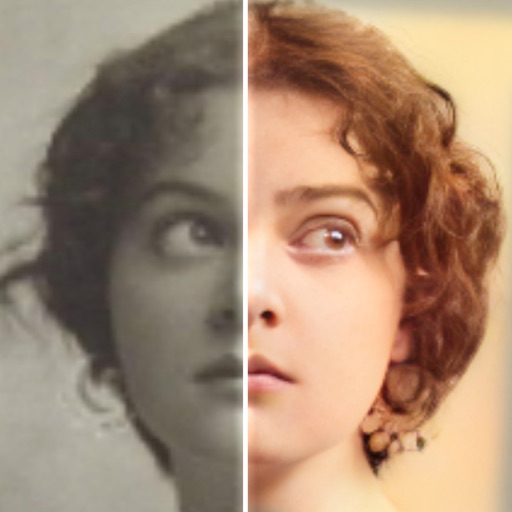
Restore and enhance images with one-tap clarity, sharpening faces and boosting up to 4x resolution. Apply vintage restoration and colorisation. Use creative filters and editing tools to restyle photos for social media and professional use.
AI Cleaner Free identifies and removes duplicate photos, blurred images, old screenshots, and similar files. It compresses large media without quality loss. Users can delete files instantly and free up storage space quickly.
Scan and edit document photos with Smart Cropping for precise edge detection. Adjust background to remove shadows and enhance brightness. Export in PDF or JPEG formats. Support for ID and scanning.
Edit photos with AI colorization, enhancement, and restoration. Remove scratches, tears, and blurs. Convert black and white images to high-definition . Adjust clarity and brightness. Share restored photos directly.
Edit photos with AI-powered background removal and replacement. Generate realistic images from text. Use advanced tools like layers, masking, and cloning for detailed edits. Export and share edited photos directly.
Helps users clean up their iPhone by identifying and removing duplicate photos, managing screenshots, and detecting blurred or overexposed images. Users can review and delete unwanted files before final removal.