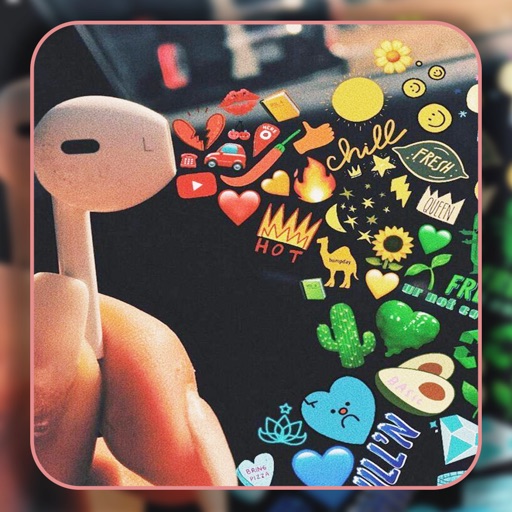
Create and customize home screen wallpapers with gradient and blurry effects. Preview wallpapers directly on Home Screen widgets. Change wallpapers automatically using Shortcuts. Share and explore a library of elegant designs.
Customize iPhone and iPad home screens and lock screens with wallpapers, widgets, and icons. Create AI-generated DIY wallpapers and apply theme-based designs. Change icons and layout in one action.
Create custom with editing tools. Choose from and 4K backgrounds. Design cohesive themes for home and lockscreen. Add widgets and animations. Export and set as wallpaper directly.
Find quotes by topic and create custom . Select from solid color, gradient, or photo backgrounds. Choose fonts and customize text with emojis. Adjust size, color, transparency, and layout. Preview and save the design.
Edit photos to fit as with adjustable sizing and parallax effects. Share photos with friends and family or upload pet photos. Apply filters and save edited images directly.
Customize iPhone's and with 150+ pre-designed styles or create shapes. Apply wallpapers that blend with the display. Adjust design elements to fit personal preferences.
Photos and videos using AI to expand images, remove objects, and replace or blur backgrounds. Enhance image quality, restore old photos, and create AI-generated scenes. Share edited content directly to Instagram.
Customize iPhone home screen with , wallpapers, and themes. Choose from minimal, vintage, artistic, or seasonal designs. Apply themes to unify and background. Preview and install customizations directly.
17 lets users browse and select high-quality from categories like landscapes, sunsets, mountains, animals, and abstract designs. Users can search for specific images, save favorites, and set chosen as their device .
Create typographic designs by selecting a background and typing . The automatically arranges with various fonts and typefaces. Export designs and share them directly.
Change iPhone wallpaper with high-quality HD and 4K images. Access sets optimized for iOS 17. Browse categories like minimal, nature, and neon. Preview before applying. Receive daily updates for new designs. Customize Home and themes.
Edit photos with HSL adjustments for precise color control. Resize images to fit various frame ratios or remove frames. Add blur effects to backgrounds. Create collages from multiple photos. Apply filters, crop, and adjust brightness and contrast.
View and customize wallpapers and lock screen backgrounds. Preview images before setting. Share or save preferred designs. No downloads required. Adjust backgrounds to fit screen size.
Design thumbnails and channel art for YouTube channels. Customize shapes, add text and images. Adjust colors and layouts. Export as PNG or JPEG and share directly.
Create unique wallpapers tailored to your preferences. nd save custom images for your device homescreen. Export high-resolution files for various devices including Apple Watch and 5K displays. Choose from 20 different styles.