Create designs for Instagram stories or feed using scans, stickers, realistic brushes, and modern fonts. Add text, apply filters, and use textured backgrounds. Export and share directly from the .
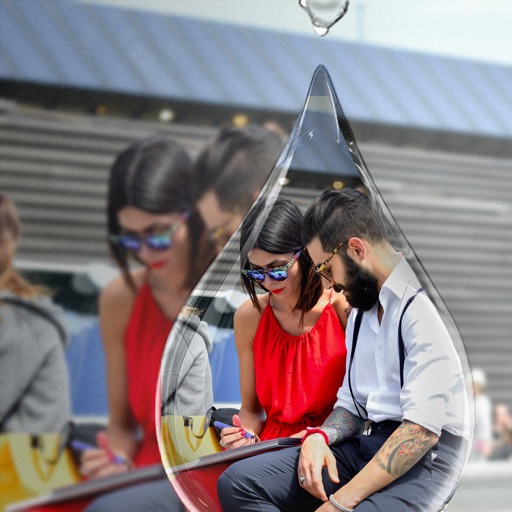
Edit photos with PIP frames, collages, and creative layouts. Add crystal bottle patterns and cartoon styles. Share edited photos directly to social media. Adjust brightness, contrast, and colors. Crop and rotate images.
Add to using over 400 creative fonts and customizable typography styles. Include cute stickers and stamps. Export edited and share directly on Instagram or Facebook.
Edit photos by adding speech bubbles with 15 styles and customizable colors and fonts. Create collages with comicbook-style layouts. Share photos directly from the . Drag, rotate, and pinch elements for editing.
Edit photos using aesthetic filters and popular effects. Apply stylish templates and create rich collages. Enhance images with easy-to-use tools and share directly to social media.
The app offers tools to enhance photos, remove blemishes, and apply various effects. Users can combine photos into collages, add stickers and frames, and adjust image properties like brightness and contrast.
Edit photos and videos with 300+ exportable . Adjust colors, exposure, and contrast. Apply filters and effects. Export in multiple formats and share directly.
Create collages with multiple layouts and effects. Combine photos from gallery or camera. Merge videos into single clips. Add transitions and effects. Edit images with cropping and filters. Share finished collages directly.
Plan and organize Instagram content by scheduling posts, stories, reels, and carousels. Drag and drop to arrange feed layouts. Hide, pin, or unpin posts. Sync with accounts to view future and published content. Edit profile details and highlights.
Create clouds by selecting color themes, fonts, and layouts. Choose from six layouts including horizontal, vertical, and half and half. Input text to generate clouds where common words appear larger.
Create collages from selected photos automatically. Print, email, text, and share photos directly. Support for social media platforms. Connect wirelessly to cameras and printers. No sign-up required. All features available for free.
Create collages by arranging photos, text, and stickers. Edit images with cropping, filters, and adjustments. Design carousels to share stories. Add frames, borders, and backgrounds. Export and share finished projects directly.
Edit photos with filters, cropping, and adjustments. Add text and stickers. Use beauty tools to enhance skin tone and reduce imions. Share edited photos directly. Create custom stickers from images or text.