, bass, or vocals with interactive lessons that provide instant feedback. Tune instruments, warm up voice, and practice chords and notes. Track progress with personalized exercises and access a library of songs to .
Recognize chords, beats, and lyrics from audio files or microphone input. Access songs on YouTube, SoundCloud, or local files. View diagrams and track progress. Export lyrics and chords for offline use.
Create and edit sheet and guitar tabs using touch piano, guitar fretboard, or drum pads. Play back compositions with over 90 instruments. Share directly or export as PDF. Sync with web version for editing on multiple devices.
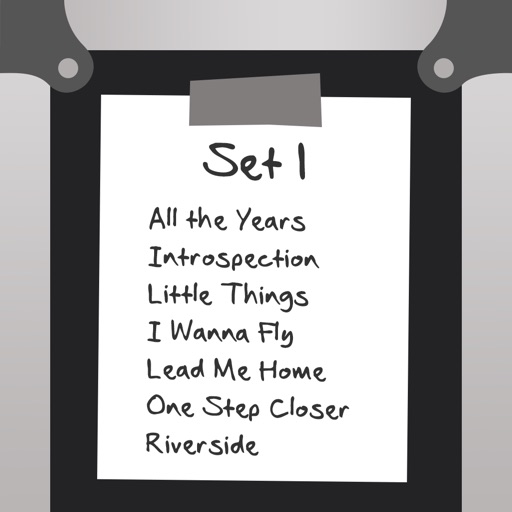
Catalog and organize chord charts and lyrics. Import from online sources or create new charts. Sync across devices via iCloud. Build and share setlists. Transpose, capo, or rewrite chords. Use with metronome, autoscroll, and chord buttons.
The app catalogs songs, storing artist, title, tempo, duration, key signature, lyrics, and chords. It prompts lyrics on screen with customizable font and color, advancing via swipe or Bluetooth pedal.
The app allows users to write lyrics and record audio for song sections. It includes a chord picker, chord diagrams for multiple instruments, and support for the Nashville Numbering System.
Access studio-quality backing tracks for practice and performance. Customize tracks to fit your style. Sync with chords, diagrams, and lyrics for real-time guidance. Jam with virtual band members. Share performances and receive feedback.
Manage team members and setlists for services. Customize chord charts, transpose keys, and adjust audio mixer settings. Practice songs with adjustable key and volume levels.
Customize charts, change key, add annotations, save
Customize music charts by changing key, capo, chord display, and layout. Add annotations to songs. Save and recall chart settings. Integrate with RehearsalMix for adjusted audio playback. Access charts via a content subscription.
For verses, choruses, and other sections. Record audio for each part separately. Use the Chord Picker to add chords. View chords above in display mode. Add guitar tablature and access over 1000 chord diagrams.
Read and manage from PDF, image, text, and MIDI files. Import scores via camera, photos, or files. Organize by title, artist, and setlist. View scores in horizontal, vertical, or two-page modes. Annotate with pen, text, shapes, and stamps.
Learn to identify musical intervals, chords, scales, and rhythms by listening. Practice ten exercises including interval and chord recognition, melody and rhythm dictation, and chord progressions.
Access chord , lead sheets, vocal sheets, and lyrics for worship songs. Create and share set lists with band members. Add songs, adjust keys and tempos using SongSelect. Take notes and sync annotations to the cloud.