Apps Like Deco – Lock Screen Wallpapers for iPhone and iPad
Design screens with photos and gradients
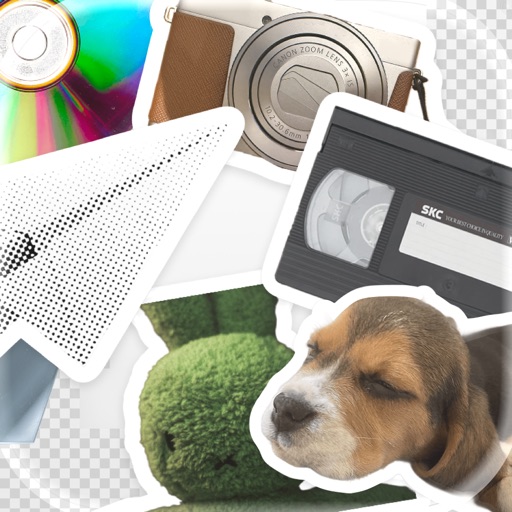
Create custom and home using photos, gradients, and stickers. Edit photos with subject separation, adjust gradients with presets, and add text or stickers. Export and set as wallpaper directly.
by William Jones★ 4.823 ratingsPhoto & Video$2.99Data updated 2026-10-18
Create 3D with depth, shadow, and perspective. Choose from 50+ fonts including modern, handwritten, and bold styles. Add stickers and backgrounds. Write names or quotes on photos. Export designs as profile pictures or social media logos.
Add text to photos with caption, bubble, and thought bubble options. Choose from 6 free frame styles and multiple caption designs. Adjust text size, position, and appearance.
Edit photos with AI-powered tools for background removal and image enhancement. Adjust colors, brightness, and contrast. Add text, stickers, and filters. Export in various formats and share directly.
Add vibrant color to specific image areas using the Color Splash Effect. Adjust intensity and placement. Export edited in various formats. Share directly from the .
Set lock screen themes by selecting from a collection of modern . Choose between taking a photo or using an image from the gallery. Swipe left or right to navigate and customize lock screen with stickers.
Add watermarks, text, signatures, and stickers to photos. Choose from symbols, trademarks, and social icons. Customize designs with logos and graphic elements. Save and share edited photos directly.
Create images by combining Genmojis, Emojis, and Stickers on a flexible . Add photos or colors as backgrounds. Scale, rotate, and align elements precisely with smart grid and snapping. Export transparent PNGs for use on any platform.
Create slideshow videos by selecting templates, adding photos or videos, and applying transitions, animations, and effects. Customize with stickers, fonts, and music. Share directly to social media platforms or save to camera roll.
Create -themed with customizable effects and designs. Edit photos with filters and overlays. Save and share edited images on social media. Adjust settings for high-definition output. Apply professional-grade effects for enhanced visuals.
Edit photos with holiday-themed frames, filters, and effects. Add text, stickers, and decorations. Export in various formats and share directly. Adjust brightness, contrast, and colors for festive visuals.
Edit photos with , cropping, and brightness adjustments. Add text, stickers, and borders. Export in various formats and share directly. Apply exclusive and enhance images with advanced tools.
Add to photos using over 63 customizable fonts. Customize , size, and color. Apply filters, stickers, and artwork to enhance designs. Save and share edited images directly.
Post full-size photos to Instagram without cropping. Adjust orientation, scale, and flip images. Apply filters, add borders, frames, stickers, and text. Customize backgrounds with blur, shapes, and shadows.
Create 3d art effects for photos. Set and share 100+ HD wallpapers. Apply 100+ holiday frames to photos and share. Add festive stories to photos and share with friends.
Edit videos by trimming, cutting, and cropping clips. Overlay stickers and multiple clips. Add music to enhance videos. Create professional-looking vlogs with intuitive tools. Export and share finished videos directly.
Create customized monogrammed with selectable backgrounds and text. Add unlimited text elements and apply filters for color, brightness, contrast, and saturation. Adjust hue and add effects like vignette. Include design elements and stickers.