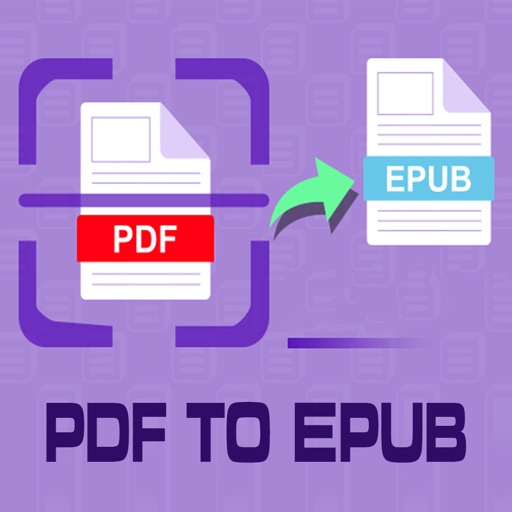
PDF to Epub Converter
Tu Phan
Convert PDF to and read smoothly
Convert PDF files to format for mobile reading. Edit text, adjust fonts, and customize margins. Export as and share or save to device. Supports iPad, iPhone, and ebook readers.

Showing 101–120 of 1,000 ranked alternatives.
Tu Phan
Convert PDF to and read smoothly
Convert PDF files to format for mobile reading. Edit text, adjust fonts, and customize margins. Export as and share or save to device. Supports iPad, iPhone, and ebook readers.

Fan Technology Limited
View documents and annotate pages
View PDF documents in reading mode. Access scanned files from the PDF Scanner . Upload and open scanned documents for viewing.

Marko Horvat
Convert documents to PDF and files
Convert documents to PDF and existing files. Merge, split, and rearrange pages. Add comments, annotations, and form fields. Save and share PDFs directly. Organize files into folders and manage storage.

Petr Polasek
Convert, edit, and share PDFs
Convert documents from Word, Excel, PowerPoint, and images to PDF. Scan and convert paper documents into high-quality PDFs. Create and edit PDFs with text, images, and formatting tools. Merge, split, and rearrange pages within PDFs.

MULTI MOBILE d.o.o.
Create, scan, and edit PDFs.
The app allows users to create, scan, and edit PDF documents on iPhone and iPad. It organizes documents, scans, photos, and templates into editable projects, with features for annotation, page management, and secure export.

世木 林
View and manage PDF documents easily.
The app provides a PDF document viewer with features for annotation, highlighting, linking, sharing, and printing. It supports adding PDF documents via iTunes file sharing or a desktop browser and includes library management.
Diigo
Read, annotate, and manage PDFs.
The app provides a PDF reader with multiple tabs, similar to Chrome. It includes PDF annotation capabilities and a feature to list recently closed PDF files in thumbnails.


Stefl und Taschauer OG
And edit ODF documents on the go
And modify ODF documents on mobile. Open files created with LibreOffice or OpenOffice. Search text, adjust formatting, and edit content. Save changes and share documents directly.


晓德 江
Read, customize, and sync books
Customize reading layouts for text and comics. Adjust font size, background, and line spacing. Sync books across devices and access local library collections. Highlight and annotate text. Share notes and bookmarks with others.



Matteo Rossi
Convert photos and documents to PDF
Convert photos and documents into PDF format. Edit and annotate PDFs. Organize files with folders and tags. Rename and protect documents. Share converted files via email or cloud storage.

Truong Nguyen
Convert photos to PDF documents
Convert images to PDF by selecting files and adjusting settings. Edit pages, add text, and save as PDF. Share documents via email or cloud storage. Supports JPEG, PNG, and other common image formats.


OFFIWIZ, S.L.
Edit, sign, and create PDF
Edit and annotate PDF documents with drawing tools, text, and notes. Add signatures and set passwords. Create new PDFs from scanned or other formats. Organize content with bookmarks and protect with encryption.
Apps are ranked by functional similarity, category fit, rating confidence, and popularity.