Write with customizable magnets, paper types, and fonts. Add colors and fridge styles for personalized . Save and organize ideas with unique visual elements. Share via email or social media.
Adjusts brightness and contrast for better visibility. It creates themes by inverting colors and applying sepia tones. Users can choose from preset themes or customize colors. Integrates with system mode for consistent appearance.
Scan documents and images to extract text using AI-powered OCR. Translate text into over 150 languages. Edit extracted text and export as editable files or PDFs. Use AI assistant for general queries.
Capture thoughts quickly with a simple note-taking . Create notes instantly with a clean interface. Sync via iCloud or keep local. Track word and character counts. Customize fonts. Automatically link URLs. Share or use with Shortcuts.
Create UML diagrams with class, interface, note, and association elements. Draw generalization, realization, and dependency relationships. Export diagrams as PNG via email or save to camera roll. Export XML files for desktop use.
The app offers inline previews for Markdown, TaskPaper, and Fountain documents. It allows for extensibility through workflows and Python scripts, with features like Dropbox sync, a smart keyboard, snippets, an in-app browser, and document folding.
Create custom receipts and labels with text, images, and horizontal lines. Design layouts and print directly to printers. Manage multiple connections and preview print jobs before sending.
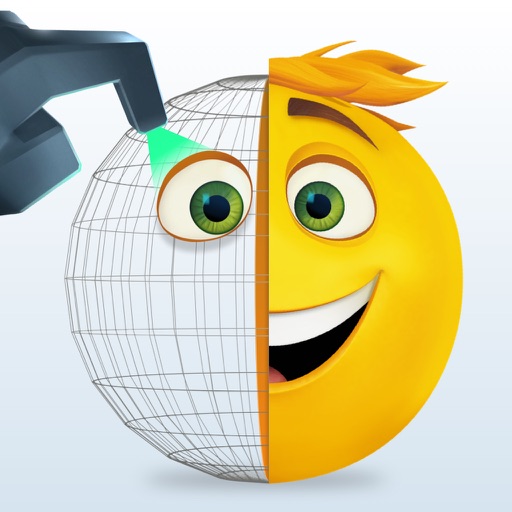
Create and customize animated emojis with characters like Gene, Jailbreak, and Smiler. Choose from hundreds of designs and animations. Save and sync emojis to Messages or Keypad.
OCRacle allows users to scan documents with real-time edge detection and flash control. Batch scanning supports multiple pages. can be extracted from scanned images. High-quality processing ensures clear results.
And convert documents, receipts, and text from images. Extract text with OCR for quick copying or pasting. Save scans as PDF or image files. Share documents directly via email or messaging apps.
The app allows users to create detailed notes for ceramic and pottery projects. Users can add photos, dimensions, clay body, glazes, and more, then share or print their notes.
Read eBooks in and CHM formats. Organize files into personal collections. Add bookmarks, notes, and highlights. Sync bookmarks and current page across devices using iCloud. Customize fonts for headings and body text. Search for text within books.
Create maps with drag-and-drop editing and customizable styling options. Adjust fonts, colors, and shapes. Insert and crop images with filters. Share mindmaps via social media, .mmx files, or PNG images. Sync files across devices using iCloud.