Display multiple calculators including scientific, financial, and unit conversion tools. Perform complex calculations, switch between modes, and save frequently used formulas. Share results via copy-paste or email.
by Hideaki Uchikoshi★ 0.00 ratingsUtilitiesFreeData updated 2026-09-06
Calculate earnings for hourly, daily, weekly, bi-weekly, semi-monthly, quarterly, and yearly periods. Input fixed income and estimated working time to receive accurate results. Track progress over time and adjust inputs for updated calculations.
Calculator allows users to perform basic and advanced mathematical operations. Input and display numbers with large, clear buttons. Correct entries using a backspace key. Support decimal points and parentheses for complex calculations.
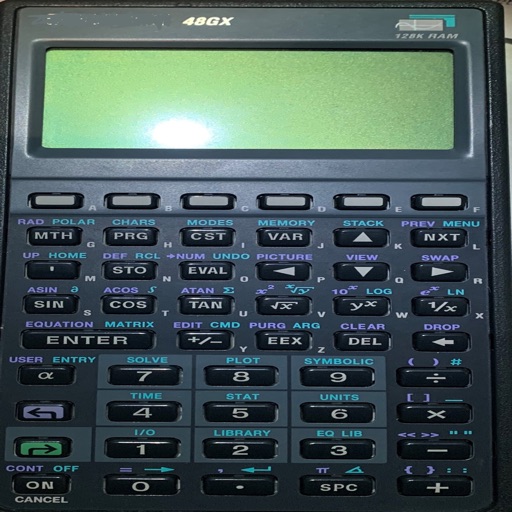
Perform complex calculations with scientific functions and RPN mode for efficient input. Access 54 math functions including logarithms, square roots, factorials, trigonometry, and coordinate conversions.
Convert units quickly with over 700 options across 30 categories. Customize conversion settings and layouts. Add notes and formulas for calculations. Export results in various formats. Share converted values directly.
Is a programmable scientific calculator with a dynamic stack display. Users can input numbers and operations using reverse-polish notation. The display expands automatically as more values are added, and users can swipe to view additional lines.
Convert units across multiple categories including length, weight, temperature, and more. Input values and select units for instant conversion. View all results on one screen. Calculate complex formulas with built-in functions.
Calculate and convert timecodes between different formats and frame rates. Display four user-definable units simultaneously. Perform film unit conversions and frame rate calculations.
C- Pro allows calculations in feet, inches, and fractional inches. It includes modules for material estimates, crown moulding, conversions, area, volume, and arc calculations.
Calculate values of a -angled using hypotenuse, cathetus, opposite, adjacent, or angles. Enter two values to automatically compute all other values. Display results with detailed formulas and units. Save and share calculations.
Scientific calculator allows users to perform complex calculations with swipe navigation between functions. Access exponents, logs, and sinus functions easily. View all functions on iPad, with additional options in landscape mode.
Convert distances between kilometres, metres, miles, yards, feet, and inches. Switch units instantly. Input values manually or via copy-paste. Display results in selected unit.
Calculate and investment future value by inputting principal, rate, duration, inflation, and additional deposits. Choose compounding and addition frequencies including daily, monthly, and annual. View final balance adjusted for inflation.
Calculate loan payments, estimate savings growth, and determine investment returns. Input variables like principal, interest rate, and time. Access calculators for home loans, gold loans, FD interest, and government schemes.
Calculate PPI by inputting screen dimensions and pixel count. Explain PPI vs DPI and dot pitch. Provide formulas and resolution categorization. Include definitions and user comments on related terms.
Calculate weight and volume using width, length, and thickness. Input measurements in feet/inches or metric. Includes aggregate and asphalt calculators with precise results. Features high visibility text for direct sunlight use.
Convert units across 16 categories with 173 units and 2162 conversions. Perform calculations for field strength, resistance, capacitance, and more. Access 62 calculators via in- purchase.