Record calculations, customize prompts, simplify math
Perform calculations with a simplified interface and faster performance. Record and search calculation history. Customize prompt sounds and choose from multiple themes. Designed for use on iPad.
The app provides complex number calculations, matrix operations, and root finding. It also performs numerical integration and supports hyperbolic and inverse hyperbolic trigonometric functions.
Calculate electrical values using formulas for voltage, current, resistance, power, and more. Determine wire size and voltage drop. Perform transformer and generator calculations. Convert between electrical units.
Perform complex calculations with scientific, engineering, and hexadecimal modes. Use RPN and multi-line display. Convert units and access constants. Undo and redo actions. Sync with Apple Watch for on-the-go calculations.
Allows users to perform basic and advanced calculations. Switch between simple and scientific modes. Access the via homescreen widget or LiveActivity Standby. Perform calculations without opening the .
Perform calculations directly from the home screen or control center. Use an interactive to add, subtract, multiply, and divide. Access basic and advanced functions without opening a separate .
The app records every calculation step, allowing users to modify any step and recalculate without re-entering data. It functions like a printing calculator with a paper tape history for clarity and ease of use.
Calculate scores for , Call Break, and Kitti (Rummy) games. Track points and adjust rates during gameplay. Customize game settings and record scores for each round.
Perform complex calculations with 10 financial worksheets and 10 calculators. Switch between landscape and portrait modes. View results in decimal, fraction, or percentage formats. Save and recall previous calculations. Export data as text or PDF.
Perform complex calculations using ten built-in calculators. Access ten financial worksheets for budgeting, loans, and investments. Input formulas, view results, and save calculations. Export data as PDF or text. Switch between light and dark modes.
Perform complex calculations with formula display and editing. Convert currencies and cryptocurrencies. Customize buttons and layouts. Store and recall previous calculations. Adjust decimal places and number formats.
Perform calculations using a scientific calculator with customizable layouts. Take notes automatically with the notepad feature. Enable multitasking with slide over and split view on iPad. Drag and drop elements for easy rearrangement.
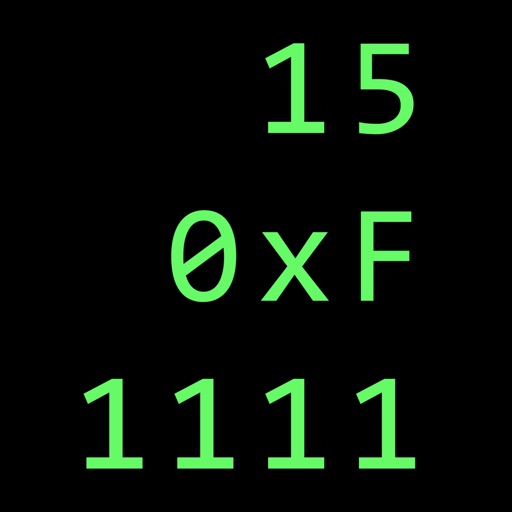
Calculate in binary, hex, and decimal simultaneously
Convert numbers between binary, hexadecimal, and decimal bases. Display all three bases simultaneously. Switch input modes and see results in all bases. Perform arithmetic, logic, and bitwise operations. Support unsigned and 2’s complement numbers.
Provides construction information with over 1,500 illustrations, 100 guides on energy-efficient building, and 30 calculators. Users can access topics like construction safety, woodworking methods, concrete placement, and project planning.