Transform photos into artistic styles using machine learning. Apply predefined artistic filters. Edit images directly on the device without uploading. Save and share modified photos. Protect privacy by keeping data on the device.
by SHFFLER, LLC★ 5.05 ratingsGraphics & DesignFreeData updated 2026-09-06
Transform photos into artistic styles like anime or oil painting with one tap. Age or rewind time in images. Edit and share transformed photos. Apply AI-generated artistic effects. Adjust and refine style transformations.
Edit photos with filters, cropping, and adjustment tools. Add text, stickers, frames, and patterns. Create collages by combining multiple photos. Share edited images directly to social media.
APPNATION YAZILIM HIZMETLERI TICARET ANONIM SIRKETI
Edit photos, enhance videos, share creations
AI Headshot Excellence: Create flawless, studio-quality portraits with automated retouching and background blur. Edit photos with advanced filters, cropping, and exposure adjustments. Add text, stickers, and effects.
Edit photos using AI to generate professional headshots and creative styles. Adjust lighting, background, and pose. Save and share edited images directly. Apply filters and customize details for different purposes like LinkedIn, dating, or avatars.
Photos with AI-powered enhancements, lighting fixes, and upscaling. Add filters, stickers, and text. Crop and adjust images. Export in various formats and share directly.
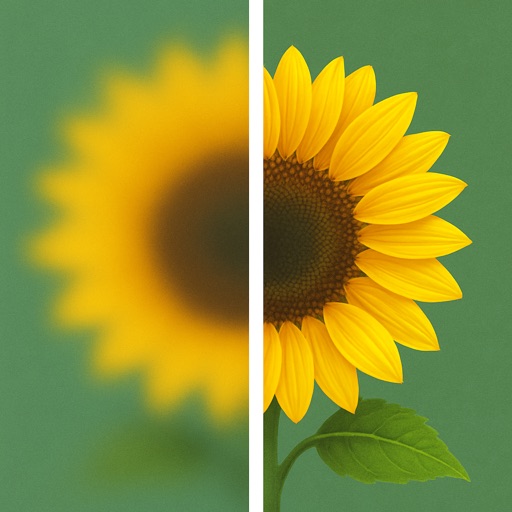
Uses AI to enhance blurry photos. Users can restore out-of-focus images with machine learning algorithms. One-tap processing allows quick restoration. Adjust brightness, contrast, and sharpness manually. Export enhanced photos in various formats.
Remove unwanted objects from photos using AI-powered erasing and background replacement. Edit images by cropping, adjusting brightness, and applying filters. Save and share edited photos directly from the .
Create AI-generated avatars with customizable styles updated weekly. nd edit images using AI-powered tools. Adjust details like expressions and backgrounds. Export and share final designs directly.
Edit photos with background removal, object elimination, and AI-style transfer. Add text, stickers, and custom fonts. Generate AI art, create flyers, and apply effects. Export in various formats and share directly.
Edit photos and videos with gradient filters, color effects, and vintage styles. Apply effects during recording. Save and share edited content directly.
Create and generate images, videos, and Genmoji emojis from text prompts. Choose from various artistic styles. Download and share generated content. Train custom models for personalized generation.
Edit photos and videos with hairline matting for precise background removal. Erase unwanted people from images. Apply artistic filters and templates. Create greeting cards, memes, and ID photos. Export edited content in various formats.
Edit photos with AI-powered filters and effects. Transform images into -style art and cartoon avatars. Add text, stickers, and animations. Export in various formats and share directly.
Edit photos and videos with AI-powered face detection and moving object tracking. Anonymize videos by removing faces without uploading data. Crop, adjust colors, and apply filters. Export edited media directly to social platforms.
Edit photos to enhance clarity, colorize black-and-white images, and refine facial expressions using AI. Transform photos into HD quality with one tap. Delete duplicate or similar photos and videos quickly to free up space.
Convert photos into printable pages with customizable line art. Select from artistic styles and color sections by tapping. Print or share high-resolution pages. Ideal for creative expression and preserving memories.
Create artwork using vibrant neon colors and glowing brushes. Draw on a large canvas with sketch tools. Adjust effects and export designs in various formats.
Edit photos by adding customizable from a large selection. Adjust brightness, contrast, and saturation. Crop images and apply filters. Share edited photos directly to social media or messaging apps.
Create collages using photos of real objects or from a library of images. Animate and customize designs with editing tools. Share or save creations. Import and manipulate objects to build digital art. Explore a vast image library for inspiration.