Transform photos into artistic styles using machine learning. Apply predefined artistic filters. Edit images directly on the device without uploading. Save and share modified photos. Protect privacy by keeping data on the device.
by SHFFLER, LLC★ 5.05 ratingsGraphics & DesignFreeData updated 2026-09-06
Smart AI categorization organizes photos into categories like portraits, groups, and scenes. Automatically sorts images by date, location, and subject. Deletes duplicates and low-quality images. Frees up space and improves photo retrieval.
Create -style artwork from text prompts. Choose a style and generate images based on descriptions. Edit generated art with tools for color, composition, and details. Save and share finished pieces directly.
Edit photos with a wide range of effects, from basic adjustments to advanced graphic transformations. Repaint images using various brushes and import Photoshop brushes. Share edited photos on Instagram with the # tag.
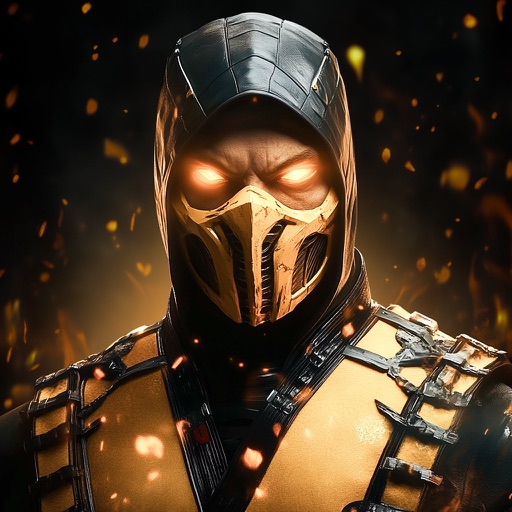
Edit photos with character filters and custom uploads. Apply visual effects to create fighter images. Save, share, and collect edited photos. Access additional features with a subscription.
Clean and organize iPhone storage by removing duplicates, deleting unused files, and clearing cache. Protect privacy with on-device processing. Manage photos, videos, and data to free up space and improve device performance.
Generate hyper-real AI couple and wedding photos by uploading two images. Create family-style portraits or add playful stickers. Edit and export images in various formats.
Repost photos to Instagram with captions and watermarks. Generate hashtags using AI. Save and organize links. Create QR codes for quick sharing. Preview and edit content before posting.
Convert photos to cartoon artwork using AI technology. Upload or capture images, select cartoon styles, and generate results instantly. Share or save converted images directly.
Apply swaps using AI technology. Choose from various templates to alter hairstyles, outfits, and facial features. Generate headshots, sporty photos, travel images, career portraits, and fantasy styles. Edit and export transformed images directly.
Convert selfies into styles like anime, comic characters, or digital paintings using AI. Apply filters, adjust colors, and edit details. Save and share edited images directly.
Create images using generative AI based on text input. Edit photos by removing backgrounds and erasing distractions. Design personalized cards, wallpapers, and other visual content. Export and share finished projects.
Create AI-generated artwork by entering text prompts and selecting art styles. Generate images based on descriptions. Edit and refine generated artwork within the . Save and share finished pieces directly.
Edit photos with filters, contrast, brightness, and color adjustments. Add text, stickers, and drawing tools. Customize images and landscapes. Export in high quality. Access a free image library. Apply advanced editing features.
Convert text prompts into digital artwork using AI. Choose from art styles like Cubist, Dali, Synthwave, or leave style unspecified. Export generated images in various formats and share them directly.
Convert text into visual artwork using AI-generated images. Edit and refine designs with customizable styles and color palettes. Export creations in various formats and share directly.
Restore and enhance images with one-tap clarity, sharpening faces and boosting up to 4x resolution. Apply vintage restoration and colorisation. Use creative filters and editing tools to restyle photos for social media and professional use.
Digitize negative and positive color films with high-quality scanning. Edit scanned images using intuitive tools. Adjust exposure, contrast, and color balance. Save and share edited photos directly.
Create drawings and paintings using a variety of colors and brushes. Select from pre-drawn shapes and stickers. Save artwork to device storage. Share creations via social media or email.
Arthur Eduardo Skaetta Alvarez Desenvolvimento de Software LTDA.
Blur backgrounds, enhance portraits
Edit photos with blur and AI-powered segmentation to isolate subjects. Apply multiple blur effects and adjust settings for precise results. Export edited images in various formats and share directly.
Edit photos with AI-powered tools for object removal, people elimination, blemish correction, and background editing. Adjust colors, brightness, and contrast. Add text and filters. Export and share edited images directly.