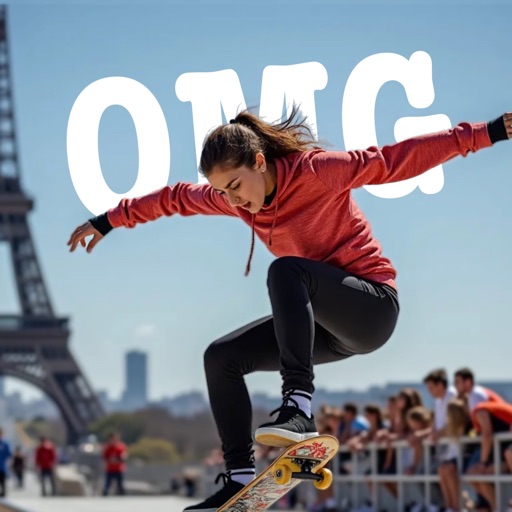
AI-powered placement allows users to embed objects in photos. Customize fonts, sizes, and colors. Adjust position and depth for professional-looking depth effects. Export edited images directly.
by Outpost31, LLC★ 4.727 ratingsUtilitiesFreeData updated 2026-09-06
Create and edit images using AI-generated art and editing tools. Transform text into images with AI. Adjust colors, crop, and apply filters. Save and share edited images directly.
Posters, flyers, and banners for events, business, and social media. Choose from over 25,000 templates. Add text, images, and graphics. Customize colors and fonts. Export and share designs directly.
Edit photos using AI-powered tools for instant transformations. Remove objects from images automatically. Adjust colors, brightness, and contrast with advanced settings. Apply filters and effects for creative enhancements.
Trim and cut videos with precise editing tools. Add custom text, titles, and captions to videos. Apply filters to enhance mood and style. Edit clips for social media or longer projects with an intuitive interface.
Add vibrant color to specific image areas using the Color Splash Effect. Adjust intensity and placement. Export edited in various formats. Share directly from the .
Edit photos with single-tap effects and professional filters. Adjust brightness and contrast. Apply blur and focus tools. Enhance portraits with specialized filters. Export edited images in various formats.
View image such as measurements, DPI, file size, location data, and device information. Import images via drag and drop from Photos, Files, or Safari. Display in a card-based layout for easy reference.
Remove backgrounds from photos with AI-powered detection. Select transparent, white, or custom backgrounds. Edit images by removing people, faces, products, animals, text, and objects. Export edited images in various formats.
Create promotional posters and cover photos with customizable backgrounds, textures, and effects. Add text using design fonts and include stickers. Save and share the final design directly.
Apply effects to photos including sepia tone, grain, darkened edges, distressed paper, and faded highlights. Adjust intensity settings and export edited images in various formats.
Annotate photos with text, drawings, and hand-drawn elements. Add watermarks and autographs. Create and share Photocards. Incorporate internet memes. Edit and enhance images for personal or professional use.
Edit photos with filters, effects, and backgrounds. Create collages and layouts with ready-made designs. Crop and mirror images for social media. Add text and frames. Share edited photos directly to WhatsApp and Instagram.
Create collages, cards, and albums using photos. Select from hundreds of templates and customizable grids. Add backgrounds, frames, and text. Edit images with cropping, filters, and adjustments. Share finished projects directly.
Create videos with augmented reality effects like floating bokeh, falling snow, 3D text, and emojis. Add virtual objects that cast shadows onto real-world scenes. Share videos directly with friends and family.
Create posters, flyers, stories, and posts using an intuitive editing panel. Access customizable templates to design eye-catching visuals. Adjust colors, fonts, and layouts to convey messages effectively.