Apps Like Screenshot Editor - SnapIt for iPhone and iPad
Edit images, add text, blur details
Edit images with text, annotations, and shapes. Adjust backgrounds using solid colors, gradients, or blur. Resize, crop, and add borders or shadows. Highlight details or blur sensitive areas. Apply styling effects and export edited images.
by Mehroz Sheikh★ 4.790 ratingsGraphics & DesignFreeData updated 2026-09-06
Create photo collages using 20,000+ layouts and frames. Combine up to 16 photos in customizable grids or freestyle arrangements. Add text with 1,000+ font styles. Edit layouts, adjust frames, and export collages.
Edit photos with auto and drawing tools. Apply 20+ effects and unique shapes. Zoom for high-resolution details. Use brush offset to avoid finger interference. Preview and adjust focus areas. Export edited images directly.
The app applies dust, film grain, textures, light leaks, and gradients to images. Users can edit photos with professional tools and save edits for future use.
Edit photos using like Linear, Vignette, and Sepia. Adjust brightness, contrast, and color with tone curve tools. Apply blur, focus, and rotation. Add stickers, text, and emoticons. Crop and resize images.
Set home screen and lock screen with pre-designed pink-themed images. Select and apply instantly. Browse a collection of , stylish backgrounds for iPhone.
Create posters and posters using pre-designed templates. Choose from thousands of options for business, social media, or events. Customize text, colors, and layouts. Export in various formats and share directly.
The app offers photo editing tools including effects, frames, and stickers. Users can adjust brightness, contrast, saturation, and warmth, and also sharpen or blur images.
Customize the Home with backgrounds from Unsplash or your photo library. Apply smooth gradients from presets or custom creations. Export single images for free or purchase unlimited exports.
Automatically pixelates faces and blurs sensitive content in photos using smart auto blur. Users can hide or reveal faces with a single tap. Manual editing allows adjusting filters like pixelate, blur, mosaic, and crystallize.
Blur image backgrounds to create effects. Select photos from gallery or capture new images. Apply multiple blurring tools to adjust blur intensity. Export edited photos to device storage.
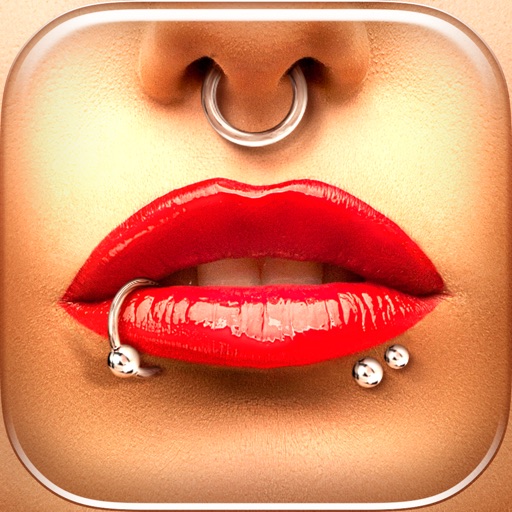
Try different styles with realistic effects. Choose from face, ear, belly, labret, teat, and nose categories. Select from over 300 objects. Adjust placement and size for custom looks. Share edited photos directly.
Edit photos with AI-powered enhancement, colorization, and object removal. Adjust lighting, sharpen details, and correct imions. Apply filters and restore old photos. Export edited images in various formats.