Apps Like Guitarate: Guitar Chords for iPhone and iPad
Play along with AI-generated music tracks
Create and play AI-generated backing tracks in various musical styles. Learn and melodies with interactive diagrams and guides. Jam along to different genres to improve skills.
by Vibin Oy★ 5.01 ratingsMusicFreeData updated 2026-09-06
Notes using a real and microphone. Play notes and receive instant feedback. Progress through level-based lessons. Track performance with accuracy and speed metrics. Sync lessons with a structured curriculum for consistent practice.
Learn chords and scales through interactive 3D lessons. View real-time finger placement and arm movements. Practice with built-in metronome and play along with backing tracks. Track progress and adjust lesson difficulty. Share performance recordings.
View and playback guitar, bass, and drum with realistic playback. Access unlimited learning features like speed control, looping, soloing, muting, and pitch shifting with a subscription. Export and share chord progressions.
Play and songs with real-time feedback and realistic sound. Access over 2000 and arpeggios. Record original tracks in free play mode. Practice bending and picking techniques. Sync with music libraries for song playback.
Learn and strumming techniques through interactive 3D visuals. Compose chord sequences and view finger movements from multiple angles. Practice with virtual playback and customize chord timelines.
To improve timing, rhythm, and coordination. Perform strumming, plucking, and string striking techniques. Follow dynamic on-screen hints to guide gameplay. Track progress through game modes and skill levels.
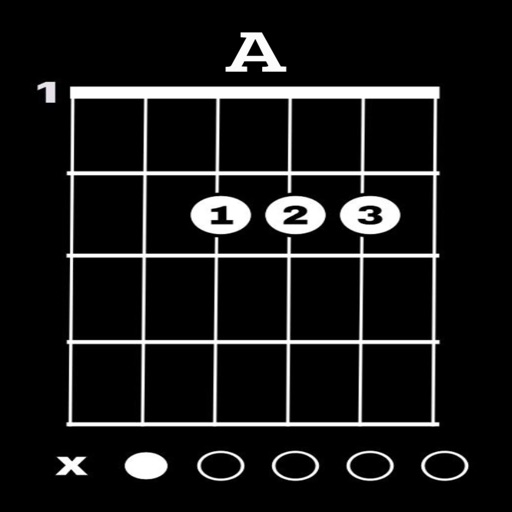
View diagrams for 12 keys and 32 chords. Display three fingering positions for each . Play sounds to hear the notes. Practice chords with visual guides and audio feedback.
Create custom jam tracks by selecting chords, tempo, and style. Generate random chord sequences for immediate playback. Choose from a wide range of musical genres including rock, blues, jazz, metal, pop, and country.
Edit tracks with removal and speed adjustment. Record and mix music. Export in various formats. Access a library of tracks for editing and experimentation.
Create and edit chord progressions by selecting keys and chords. Build custom sequences and explore variations. Learn through interactive play and real-time feedback. Export progressions and integrate with music production tools.
Play using a virtual with realistic sound. Choose from multiple instruments including , violin, and harpsichord. Access free songs and chords for practice. Adjust settings to customize sound and playback.
Using a color-coded system to simplify learning. Practice with instant feedback to improve accuracy. Track progress and access lesson tutorials for beginners and intermediate players.
Learn and practice music intervals, scales, modes, chords, and cadences. Play back examples to understand sounds. Practice with melodic or harmonic exercises. Receive feedback on accuracy. Track progress over time.