The app offers photo editing with frames, stamps, and templates for business and greeting cards. It includes functions for collages, filters, text, and QR codes, supporting a special metallic layer for printing.
Create viral videos using AI-powered editing tools. Add text, stickers, and filters. Trim clips and generate cinematic scenes from text. Expand borders and outpaint frames. Share directly to social media platforms.
Edit photos with AI-enhanced tools for clarity and resolution. Remove unwanted elements and separate figures or objects. Apply AI skin corrections and custom filters. Adjust HSL and curves for precise color and tone control.
Create videos with AI tools. Add automatic subtitles from audio or . Convert text to speech with one tap. Apply unique AI voices to audio. Get song recommendations. Remove backgrounds around people and faces.
The app provides tools for image adjustments like saturation and contrast. It offers light leaks, emulsion, grain, and scratch effects to mimic vintage cameras.
Create and edit digital art with brush tools, layers, and blending modes. Import and manipulate images. Save and export in various formats. Sync files via iCloud Drive. Support Apple Pencil for precise drawing. Render graphics using GPU acceleration.
Edit videos with cutting, trimming, joining, and splitting tools. Create slideshows with media and transitions. Export in HD formats and share directly. Add text, stickers, and effects. Sync with cloud storage for backups.
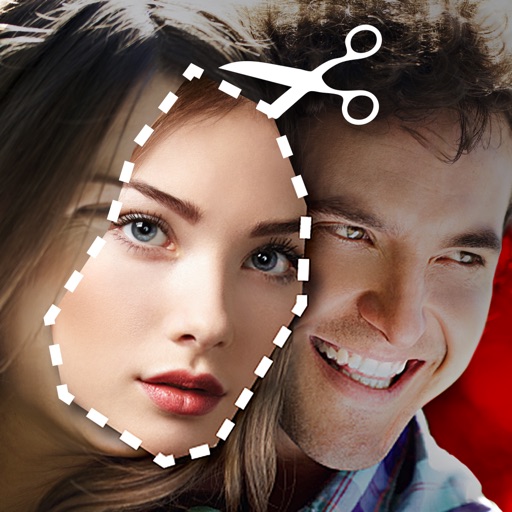
Cut photos with AI to remove backgrounds and isolate subjects. them onto new backgrounds or other images. Swap faces between photos and add missing people to family shots. Create collages by combining multiple images.
Edit images and videos by selectively recoloring elements. Extract objects, shapes, and text using tracing, magic eraser, and recoloring tools. Deform and extracted elements with distortion tools.
The app offers artistic generative presets, image layers, and adjustment layers for photo editing. Users can create art prints, improve photos, or develop digital art skills with its editing tools.
Create immersive videos with AI-driven special and editing tools. Add transitions, animations, and text overlays. Import footage from iPhone or professional cameras. Export in various formats for social media and other platforms.
Create social media graphics using pre-designed templates. Choose from layouts for collages, banners, invitations, business graphics, posters, quotes, and profile photos. Customize designs with text, images, and color adjustments.