Connect to a camera via WiFi to configure settings, capture photos and videos, and edit them directly. Share edited content through integrated sharing options.
Edit videos by applying custom such as echo, male/female, reverb, and robotic. Add virtual sound like rain or thunder. Record new audio or select from the camera roll. Share edited videos to social media apps.
Control a DJI PHANTOM 1’s camera remotely. Capture photos and videos. Manage photo albums. Adjust camera settings. View live feed and track flight status.
Edit photos using filters designed to mimic the look of film taken in . Adjust brightness, contrast, and color tones. Save and share edited images directly.
Convert videos to high-quality images with frame extraction. Play videos with smooth playback and beauty enhancements. Edit and share them on social media or via email. Save edited to the camera roll. Manage exported photo files.
Capture with tips from professionals. Adjust exposure settings, focus, and white balance. Learn composition techniques and review photo histograms. Save and share edited images directly.
Capture 360-degree photos and videos with a connected . Control the remotely to shoot, preview live streams, and download files. Share media via social platforms or view in VR.
Create personal time-lapse videos by capturing and adjusting photos. Set reminders, change order and timings, and preview FaceSlides anytime. Choose from seven camera overlays or import multiple photos. Watch videos on Apple Watch.
Save photos from videos by playing in real-time, slow, or ultra slow motion. Pause and select frames to capture moments. Share photos via Facebook, Instagram, Twitter, and email. Free version includes watermarked shares.
Take photos with color and sharp filters. Apply whiteness and beauty skin effects. Combine filters and colors for custom looks. Add contacts in 64 pattern colors. Use filters in both camera and alarm modes without charge.
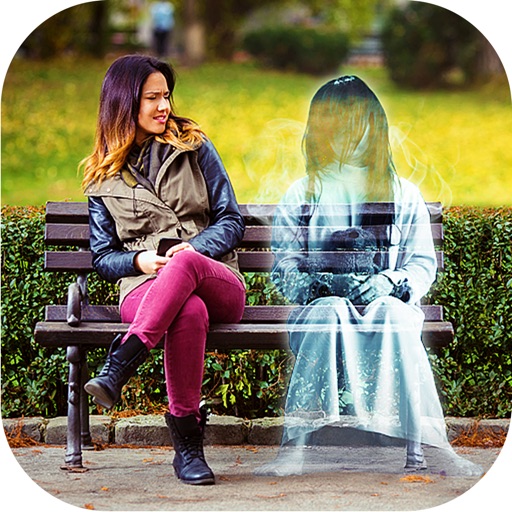
Add ghosts to and using preloaded frames. Select images from the gallery or capture live . Create scary Halloween pictures with effects and UFO or Bigfoot themes. Share edited directly.
Connect Bluetooth to print photos from smartphones or tablets. Edit images on devices before printing. Use with Minishot Camera or Mini2 Printer. Recharge printer before use. Instantly print photos directly from connected devices.
Take photos with high-resolution settings. Apply 40 free filters, including a popular pink filter. Edit images with color adjustments and effects. Add creative accents to photos. Share edited photos directly from the .