Capture and manage images and videos with advanced settings and manual controls. Adjust exposure, focus, and white balance. Save and organize media in folders. Export files in various formats. Share directly via cloud or messaging.
by 锦才 钟★ 3.01 ratingsUtilitiesFreeData updated 2026-09-06
Arthur Eduardo Skaetta Alvarez Desenvolvimento de Software LTDA.
With one touch
Using AI to add color to black and white images. Import from camera or photo library. Adjust color intensity with a slider. Save or share the edited image.
Capture screenshots with fullscreen or fragment options. Edit images using pencil, text, arrows, and shapes. Save up to 100 screenshots in the cloud. Share links to screenshots with customizable hotkeys.
Resize photos to custom dimensions for social media, websites, and emails. Adjust sizes via slider or manual input. Access photos from camera, files, or web links. Save edits to history and share directly or store in photos.
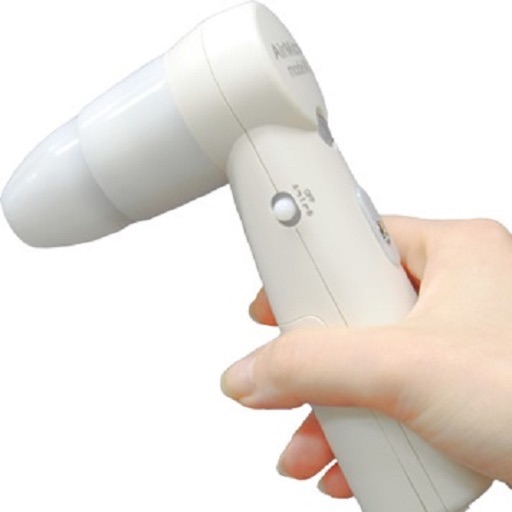
View and save images captured with or ProScope Mobile. Adjust focus and brightness. Share photos via email or messaging. Compatible with Apple iPad, iPhone, and iPod. Used for skin analysis and educational purposes.
Manage local and cloud videos from Dropbox, Google Drive, and iCloud. Organize videos into custom folders, rename, delete, or move them. Upload videos to cloud storage services and play videos directly within the .
APPAS SOLUTIONS, SOCIETATEA CU RASPUNDERE LIMITATA
Capture photos and videos with zoom.
The app offers over 50 photo and video filters and effects, including glamor effects. It provides 32X digital zoom for photos and videos, with features like GPS location tagging, photo stabilization, and auto focus.
Scan documents using the camera and convert to common formats. Edit, annotate, and sign files. Organize and store documents in local or cloud folders. Share files with others. Print, fax, and email documents.
Save and organize web links, text, images, PDFs, photos, videos, and color codes with a clipboard manager. Quickly capture content and it instantly without retyping. Sync saved items across devices for easy access and reuse.
Record with high-quality settings. Save and organize recordings in folders. Edit clips by trimming or splitting. Share files via email or cloud services. Set recording timers and alarms. Supports multiple formats and device storage.
Convert photos to videos with one tap using AI. Generate AI sound effects and voiceovers. Edit and animate images. Create videos from text input. Export final content in various formats.
Control Nikon or Canon DLSR cameras via hardware. Adjust settings like ISO, aperture, and shutter speed. Perform live view touch focusing and remote capture. View high-resolution images and manage focus adjustments directly from an iOS device.
Removes duplicate files, compresses videos, and locks private data without cloud or subscriptions. Users can delete clutter, encrypt files, and manage space directly on their device.
Stream live video, record footage, capture photos,
Capture photos and videos while driving. Control camera settings and start/stop recording. Stream live footage to share in real-time. Save and manage media files directly within the .
Record and capture screenshots for games, live streams, and internet videos. Save recordings in HD quality. Share directly to YouTube, Facebook, and Twitch. Add voice commentary and reactions during recordings.
And secure photos and videos with AI-based encryption. personal albums and sensitive content. Set passwords and biometric locks. Manage access permissions and backup media files securely.
View captured videos on iOS devices. Browse RecentClips and SavedClips folders with video previews. Access USB drives via Lightning to USB 3 Camera Adapter. Review Sentry Mode incidents and select video clips for playback.
Record content in high-quality and audio. Customize recording settings including resolution and audio input. Save recordings to device storage and share via email or messaging apps.
Scan documents, receipts, and notes using OCR to extract text. Save scans as PDF or JPEG. Share files directly or export text for reuse. Organize scanned items into folders. Edit and annotate scanned images.
Take photos and record live photos and videos. Capture 48MP images on compatible devices. Choose from multiple aspect ratios. Use serial shot mode by pressing and holding. Support multi- setup. Customize skin. Share photos directly via URL scheme.
Capture photos and videos with iPhone or iPad using . Adjust focus and exposure with a slider. Control LED flashlight brightness manually. Automatically selects optimal lens for shots. Record videos in 4K at 60 fps or 1080p slow motion.