Measure distances with a digital measuring tape. Calculate angles using a protractor tool. Adjust and calibrate measurements for precision. Save and share measurement data directly.
by Oanh Thi Duong★ 4.1158 ratingsProductivityFreeData updated 2026-09-06
Measure angles, level surfaces, and track progress
Measure angles and slopes with the protractor tool. Use the level function to check horizontal, vertical, and 45° angles. Measure height, length, and width with the caliper tool.
The app provides a collection of 13 measuring tools and a flashlight. It includes a barometer, altimeter, compass, teslameter, metronome, stopwatch, timer, seismometer, plumb bob, surface level, spirit level, and ruler.
Perform length calculations, determine fittings angles, and estimate material requirements. Access schedules, standards, and industry-specific data. Convert units and calculate pressure drops. Save and export calculation results.
Measure objects or distances using AR technology. Switch between units for accuracy. Create sketches with text editing options including size, color, and positioning. Share measurements and sketches directly from the .
Calculate measurements in feet, inches, and fractions. Convert between units and perform complex calculations. Store frequently used values and recall previous entries. Adjust for slope and pitch. Export results to email or cloud storage.
Control and monitor 2-axis digital levels via Bluetooth. Perform simultaneous levelling and angle measurement. Conduct 2D alignment tasks remotely. Adjust settings and view real-time data on the mobile device.
Measure angles, check flatness, take real-size measurements
Measure angles with real-time sensor precision. Check surface flatness in horizontal and vertical orientations. Use an on-screen ruler for real-size measurements. Support both metric and imperial units.
Room dimensions using augmented reality. Tap to mark points and view real-time 3D measurements for width, length, height, and distance. Export measurements and save data for future reference.
Take photos of objects to estimate their weight using AI-powered analysis. Measure items in grams without a physical . Save and compare weight data over time. Share results via email or messaging apps.
Rooms using augmented reality with a virtual ruler for precise distance and area calculations. Create 3D floor plans from scans. Save and share measurements. Sync with other devices for collaborative planning.
Dimensions, spacing, and angles in screenshots and photos. Analyze color values, grid alignment, and element positions. Export measurements and compare dimensions across images.
Measure length, height, and area using AR technology. Point camera at objects or people. Add lines or shapes to measure. Save photos with measurements. Sync measurements across devices.
Measure lengths with a ruler supporting metric and inch units. Detect ambient noise levels using a decibel meter. Use a protractor tool to measure angles via camera. Calibrate and view objects for precise measurements.
Create 3D layouts with precise measurements. Measure distances and surface areas using augmented reality. Export scans as PDF or other file formats for easy sharing and reference.
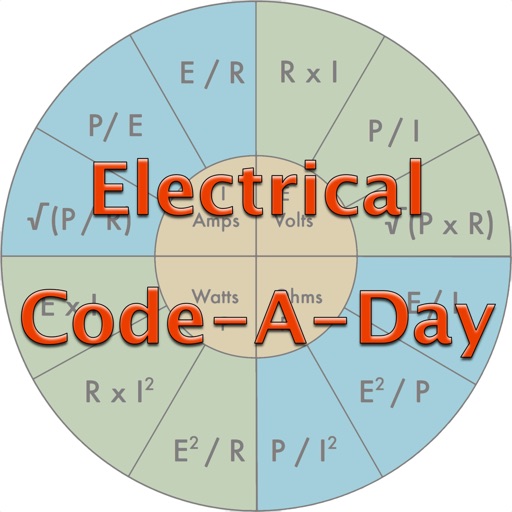
Test knowledge of codes with daily quiz questions. Answer individual questions or complete as many as possible in one session. Includes 366 basic electrician-written questions for apprentices, journeymen, and masters.