Apps Like Collage Maker & Editor・Blipix for iPhone and iPad
Create videos from photos
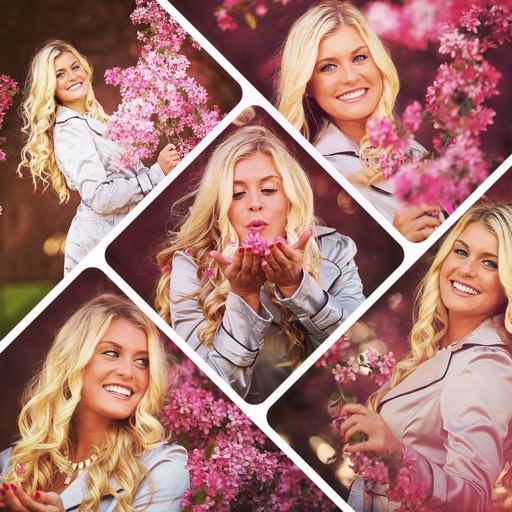
Create videos from photos with animated collages and layouts. Resize for social media. Add effects, stickers, filters, and fonts. Choose from thousands of layouts and effects. Design moodboards and mix content for unique, shareable videos.
by Hanna Chebotarova★ 5.013 ratingsPhoto & VideoFreeData updated 2026-09-06
Transform faces into humorous expressions using technology. Apply effects to create funny animations. Share altered images and videos directly to social media platforms. Adjust intensity and duration for customized results.
Create clouds by selecting color themes, fonts, and layouts. Choose from six layouts including horizontal, vertical, and half and half. Input text to generate clouds where common words appear larger.
Create videos using photos from the camera roll. Set project titles and import images. Arrange photo order, select templates, add music, apply filters and effects. Choose format and export the final project.
Create collages by combining photos and videos. Generate AI-powered videos from text or images. Edit clips with trimming, filters, and transitions. Export videos for Instagram, TikTok, YouTube, Facebook, and Pinterest.
Convert videos and photos into GIFs. Adjust speed, loop, reverse, and change frames. Add filters, effects, text, and animated stickers. Trim, crop, and reorganize frames. Edit individual frames and preserve transitions. Make videos from GIFs.
Edit photos and videos with advanced auto enhance tools, double exposure, and 425 special light effects. Apply filters, add stickers, typography, and vignettes.
Create and share visually engaging social media content with customizable templates and layouts for stories, posts, and highlight covers. Design content for fashion, food, remote work, and more. Export and post directly to social media platforms.
Apply retro filters, lightleaks, timestamps, and frame effects to photos. Share edited photos with friends. Access premium filters and textures via Pro subscription.
Create collages by importing images from the camera roll. Combine photos using hundreds of . Adjust and rotate individual images. Add text and artwork with Pro. Share collages on Instagram.
Edit videos with color or blur borders. Add background and multiple audio files. Record audio for lip-sync. Include text, stickers, and or cut segments. Export without cropping for social media sharing.
Create videos from photos with artistic filters, dynamic animations, and unique transitions. Add text and stickers to enhance visuals. Export and share finished videos directly.
Edit photos using filters, adjustments, effects, blur, focus, and rotation. Add text, stickers, and emoticons. Crop, resize, and apply tone curves. Draw and add splashes for creative touches. Save and share edited photos to social media.
Create collages by placing photos within each other for a picture-in-picture effect. Blend images seamlessly to combine multiple photos. Edit photos with filters, cropping, and adjustments. Add text, stickers, and artistic effects.
Create videos with transitions and background music. Choose from templates across 15 categories. Add effects and trending music. Edit and share finished videos directly.
Design recommendations and collages with customizable layouts and text. Add covers from a large library without searching online. Share creations directly to social media platforms.
Create collages by combining multiple photos using various frame patterns and grid layouts. Apply over 1100 design styles to individual images or collages. Share finished creations directly from the .