Capture photos and videos with iPhone or iPad using . Adjust focus and exposure with a slider. Control LED flashlight brightness manually. Automatically selects optimal lens for shots. Record videos in 4K at 60 fps or 1080p slow motion.
The app provides a Bluetooth Smart Grip for mobile devices, offering comfort and stability. Wireless buttons allow for one-handed control, with customizable buttons for zoom, exposure, and camera switching.
Capture photos with manual exposure and focus controls, RAW and TIFF support, and real-time adjustments. Edit images with advanced tools, apply effects, and export in high-quality formats. Share photos directly from the .
Find differences between two images in each level. Complete hundreds of puzzles to progress. Track progress and revisit completed levels. Share scores with friends.
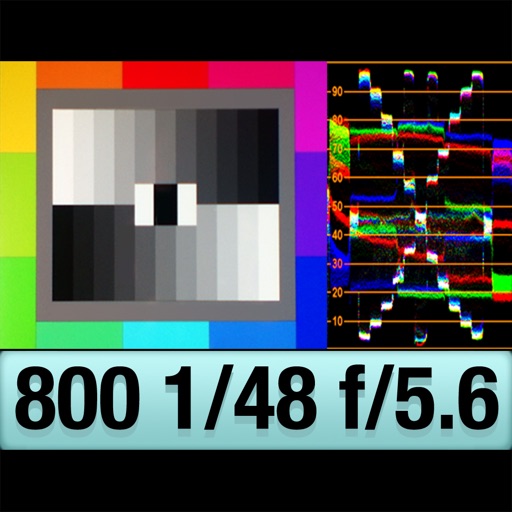
The app provides an RGB waveform monitor, false-color display, and a shutter-priority reflected light meter. Users can calibrate the light meter to match other devices and view light levels across a scene.
Helps users clean up their iPhone by identifying and removing duplicate photos, managing screenshots, and detecting blurred or overexposed images. Users can review and delete unwanted files before final removal.
View image such as measurements, DPI, file size, location data, and device information. Import images via drag and drop from Photos, Files, or Safari. Display in a card-based layout for easy reference.
The app offers 90 filters for photos and videos with independent controls for contrast, saturation, gamma, and brightness. It includes time-lapse, stop-motion, adjustable video speed, and manual focus, exposure, and white balance controls.
Monitor live video feeds from cameras connected via USB or HDMI capture cards. Adjust settings like focus, exposure, and white balance. Switch between input sources and view multiple camera angles. Record and save footage directly from the .
Capture photos and videos using Bracketing, Slow Shutter, and Time-lapse modes. Adjust exposure, focus, and white balance manually. Export raw files and share directly. Sync with Apple Health for activity tracking.
Turns iPhone into a source for OBS via NDI or direct connection. Supports high-quality video with low latency. Allows streaming, recording, and video conferencing. Enables real-time preview and control of settings.
The app provides precise framing previews for professional camera and lens combinations. It allows users to save photos, record videos, and add custom framelines in any aspect ratio.
In and out up to 15x while taking photos using a slider. Auto-stabilize images and videos. Adjust photo quality automatically. Use timer settings for 3, 10, or 20 seconds. Enable tap-to-shoot or swipe-to- options. Video available via in- purchase.