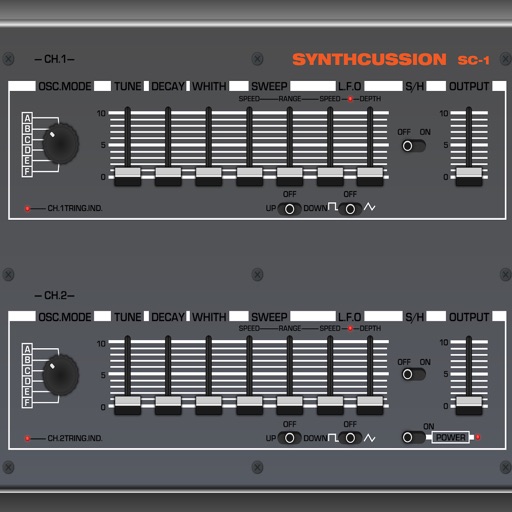
The app provides a grid of pads for playing and manipulating sounds. Users can create custom sounds using the device microphone or iTunes file sharing, and modify them with effects and parameter changes.
by Anthony Kitowicz★ 2.85 ratingsMusic$4.99Data updated 2026-10-17
Record and MIDI tracks for music production. Edit vocals for pitch and timing. Use virtual instruments and effects. Create drum patterns with custom samples. Mix and automate tracks with unlimited undo/redo.
Create beats using step sequencers and pads. Sample sounds from Roland TR and MPC machines. Mix tracks with a built-in mixer. Record and play back custom patterns. Adjust tempo and rhythm settings. Export and share finished projects.
Create and customize drum patterns using synthesis models. Adjust parameters like pitch, timing, and velocity. Layer multiple drum sounds. Export projects and share files. Sync with MIDI devices.
Create and play music with a 64-voice virtual analog and PCM . Access 500+ presets from various artists. Adjust filters, envelopes, and modulation parameters. Save and recall custom patches. Export audio files and share directly.
Design custom audio effects using 80+ building blocks. Create complex routing in series or parallel. Build custom interfaces with Interface Builder. Control audio components for tailored processing.
Access and customize Tera Pro sounds with adjustable parameters for tone and structure. Explore morphing between sounds to create new variations. Integrate with Tera Pro for expanded sound design capabilities.
Create music by touching the screen to play notes and adjust sounds. Use multi-touch surfaces like radar, ribbon, or keyboard. Move fingers to modify tones. The semi-generative engine selects suitable notes automatically.
Create music by mixing vocals, bass, and instruments with drums. Apply professional effects and use loops to build mixes. Record music sessions and share creations.
Play atmospheric sounds, sound effects, and music simultaneously to enhance RPG gameplay. Choose from over 1500 sounds. Manage multiple audio tracks. Save custom sound combinations. Share sound presets with others.
Create and customize sounds by describing them. Use the Preset Generator to transform text into unique sound presets. Adjust color-based sound parameters to shape tones and rhythms. Export and share custom sound creations.
Allows users to control multiple hardware and software instruments via MIDI controllers. Organize projects into sections for different song parts. Adjust instrument sounds and parameters within sections.
Create and edit patterns using groove presets or custom beats. Play along with favorite songs via InterApp, Audiobus, Core MIDI, and clock MIDI. Share patterns through iTunes file sharing or Audio Copy.
Play sounds with a multi-touch keyboard and 3 octaves. Use the coupler feature for right octave control. Access high-quality samples from a Made in India . Practice scales and chords for quick sessions.
Create and manipulate sound using a variety of oscillator types including analog, FM, additive, and physical modeling. Adjust waveform shapes, filter settings, and modulation parameters. Play in monophonic or 8-voice polyphonic mode.