The app provides a grid of pads for playing and manipulating sounds. Users can create custom sounds using the device microphone or iTunes file sharing, and modify them with effects and parameter changes.
by Anthony Kitowicz★ 2.85 ratingsMusic$4.99Data updated 2026-10-17
Create and save multi-track music projects on iPad, iPhone, or Mac. Record and import audio tracks, browse samples with previews, apply effects, and use high-quality synthesizers and drum kits. Edit, mix, and render complete songs.
Create and manipulate audio using synthesis. Import WAV files, record audio, or live-process sound. Adjust parameters for texture, pitch, and timing. Export and share custom audio creations.
Create and customize basslines with a synthesizer and drum machine. Adjust waveform shapes, filter settings, and envelope parameters. Sequence rhythms with step editors and pattern loops. Export audio files and share directly.
Turn iPhone or iPad into pads and keyboard. Connect via Bluetooth or USB. Assign and name 16 pads. Use full 88-key piano. Select channels and velocity. Control CC and program changes. View message logs. Requires external synth or plugin.
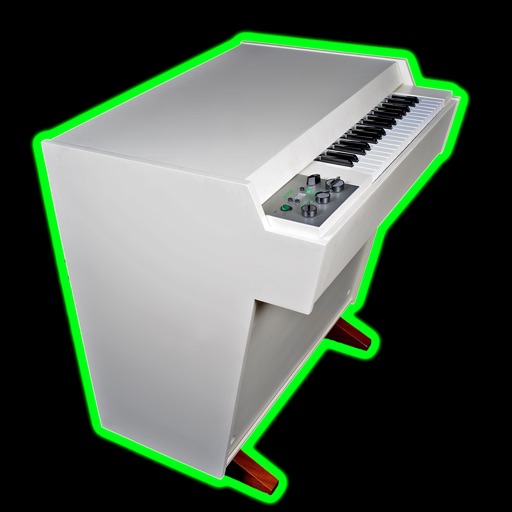
The app provides 57 sampled stereo instruments with 940MB of samples. It offers velocity sensitivity, decay tails, octave shift keys, and a half-speed tape mode for extended performance.
Create stereo delays with adjustable parameters for various sound effects. Simulate tape characteristics including noise and warble. Apply filters in the delay loop for dub-style tones. Use stereo delay, detune, and ping-pong options.
Record sounds via microphone and manipulate them live with pitch, distortion, and looping. Apply resonant filters, delays, and envelopes. Play sounds in stepped mode like a keyboard or free mode for microtonal effects.
The app provides a virtual piano sound module with a large collection of audio samples for realistic sound. It supports Bluetooth LE MIDI, Audio Unit, and Inter-App Audio, and can be used with external MIDI keyboards.
Create and record musical patterns by tapping and swiping multi-touch pads. Record continuously without setting a tempo. Drag and adjust pads for customization. Play and refine patterns without stopping. Sync with audio units and standalone devices.
Create and play with real instruments including pianos, guitars, oud, synths, and strings. Access 1,000+ multi-sampled sounds with effects and smart scripts. Use global styles and rhythms with dynamic drum kits.
Create and manipulate granular audio with real-time sound file granulation. Generate effects like time/pitch shifting and intricate textures. Record, scrub, and shape envelopes. Manipulate buffers and explore complex scrub pads.
The app allows users to create and remix music by mixing samples and loops. Users can add vocals, drum kits, and melodies, and apply audio effects to their songs.
Create beats using built-in samples or imported audio. Add and arrange sound kits. Adjust tempo and volume. Export tracks in various formats. Share finished beats directly.
Create and customize rhythms with preprogrammed patterns or original grooves. Combine rhythms in Song Mode or use Live Pads for real-time performance with 8 assignable pads and MIDI controls. Sync with other apps via Ableton Link.
Create and manipulate music using virtual tape loops. Load and play 90 preloaded tapes, including 65 from Streetly's Production Masters. Adjust pitch, tempo, and effects. Export audio files and share directly.
Create and shape sounds by drawing waveforms or modifying built-in ones. Mix with analog and sub oscillators. Automate knobs using 2 LFOs and 2 ENVs. Design and morph 2 wavetables for dynamic sound creation.