Create collages using 100+ adjustable layouts. Customize with gesture controls and regulation bars for precise adjustments. Choose from beautiful backgrounds and filters. Edit photos with cropping and ratio adjustment tools.
The app allows users to add artwork and messages to photos. Users can depict daily life and travel photos as memorable moments and express subtle moods.
Preview videos in real time to check quality and content. Adjust parameters for flight angle and settings. Manage video materials to create a personalized library for photogenic spots.
The app allows users to edit photos by interacting with each other and using user-created processing elements. Users can create and save custom effects, and utilize resources like stickers, textures, frames, and backgrounds for image editing.
Edit photos by applying and effects. Select images from the gallery or camera. Adjust frame position, size, and angle. Choose from multiple stylish frame options and effects.
Edit photos with filters, light leaks, and templates. Add frames and text. Share directly to social media. Access monthly updated filters. Adjust brightness and contrast. Crop and rotate images. Export in various formats.
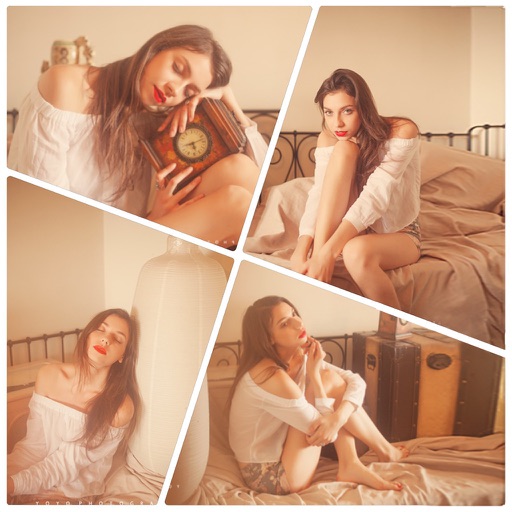
Create collages with customizable layouts in various aspect ratios. Adjust margins, padding, and corner angles for precise design. Choose from 60+ backgrounds and 100+ layouts to personalize photos. Export and share finished collages.
Take with customizable filters for character, scene, mood, scenery, food, and black and white. Add handwritten signatures for personalization. Apply blur and dark angle effects. Share directly to social networks.
Photos to save storage space. Adjust JPG compression strength and image size reduction. single images, multiple files, or entire albums. Preview compressed results before saving.
Print multiple photos on a single page by selecting images and defining individual print sizes in millimeters, centimeters, or inches. Choose a printer and start the process.
Take a and use the Move button to align the measurement area with the center of the . Adjust the measuring line using the Angle and Start Line buttons to display angle and radian values.
Create custom wallpapers with scaling and resizing options on various backgrounds. Choose from color, gradient, pattern, bokeh, and text effects. Apply parallax effect for all iPhone and iPad devices.
Edit photos with AI art style transfer and realistic filters. Add beautiful frames and apply FX or blur effects. Turn portraits into canvases or cartoons with magic effects. Use lens tools for lighting and adjust colors manually.