15 ᅠ
Denis Tokarev
Slide tiles to solve the puzzle
Solve sliding puzzles by moving numbered tiles into order. Customize colors and choose board sizes from 3x3 to 8x8. Track scores on Game Center leaderboards. Play without ads or in- purchases.

Color pixels to match numbered grids
Create art using three colors on an 8x8 grid. Match numbered squares with color pixels. Rotate the canvas to change drawing colors. Undo mistakes. Share completed puzzles.
Showing 121–140 of 1,000 ranked alternatives.
Denis Tokarev
Slide tiles to solve the puzzle
Solve sliding puzzles by moving numbered tiles into order. Customize colors and choose board sizes from 3x3 to 8x8. Track scores on Game Center leaderboards. Play without ads or in- purchases.

Brandon Stecklein
Create art with themed squares
Create art using 1x1 themed squares. Choose from multiple color options. Save images to device, share via social media, or print for display. Draw classic 8-bit sprites or -themed artwork.


Quynh Nhu
By numbers, create art anytime
By numbers with detailed designs and numbered sections. Select colors and apply them to complete images. Save and share finished artworks. Adjust brush size and opacity for precise coloring.

Bryan Ware
Create pixel art and share it
Create pixel art using a grid-based drawing tool. Share artwork with others and follow pixel artists. Receive feedback and view community creations. Export art in various formats and access tutorials for improvement.


COMMANDOO JOINT STOCK COMPANY
Paint by number, create art
Create art by selecting colors and filling in grids. Choose from pre-designed artworks or design custom pieces. Save and share completed projects. Access a library of free art templates. Adjust color palettes and grid sizes for different projects.


Netviking AB
Play and remove tile pairs
Play by matching pairs of tiles to remove them from the board. Use hints, undo moves, and shuffle the board. Large tiles and clear interface with big buttons. Only non-covered tiles can be selected.


Unicom TOV
By allows users to select pre-made images and fill them using numbered codes. Users can zoom in on the drawing, choose colors, and match them to the image. Autosave functionality is available, and new pixel art and by puzzles are added daily.

Oleksandr Kozlov
Pick up circles by toggling colors
Navigate a color line through a grid to collect circles visible only on specific colors. Toggle light settings to change visibility. Complete levels by collecting all circles in each grid.
FutureX Fun Games For Free
Match colors, slide, and smash
Slide, rotate, and match colors to clear the screen. Tap to bump and smash objects. Track high scores and challenge reaction speed. Features include smooth controls, vibrant visuals, and addictive gameplay mechanics.


Neosus UAB
With art and create freely
Coloring books allow users to select from various themed images such as animals, cars, and flowers. Users can apply colors to individual pixels to create artwork.
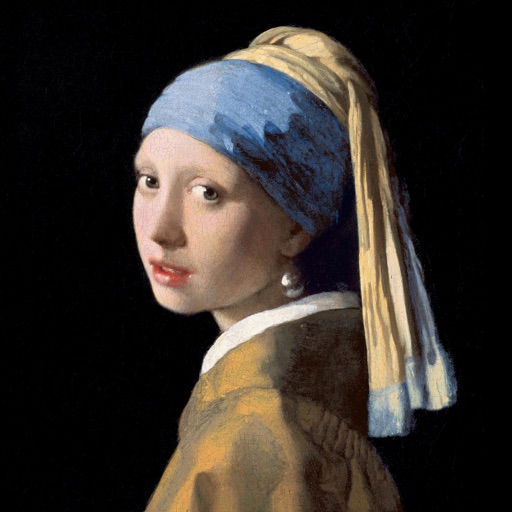
PROFOLKS LTD
Color paintings, explore art, create masterpieces
Color the art versions of famous paintings. Choose from a weekly updated collection of artworks. Remove ads and unlock unlimited through the Amuse Museum Club. Save and share completed drawings.

PLAYCUS LIMITED
Color by number, tap to fill
Color by number puzzles let users select images and fill numbered cells to create artwork. Tap to color cells, save progress, and view completed images. Share finished artwork or reset to start over.

Conceptis Ltd.
Solve puzzles and reveal pixel art
Solve logic puzzles by painting squares in grids. Use row and column clues to determine block placements. Reveal pixel-art images as puzzles are completed. Features include multiple difficulty levels and progress tracking.
Apps are ranked by functional similarity, category fit, rating confidence, and popularity.