The app displays sound file information like tempo, key, and sampling frequency. Users can drag and drop files into their production environment and bookmark, note, or tag sounds for later retrieval.
by Crypton Future Media, Inc. Apps★ 0.00 ratingsMusicFreeData updated 2026-10-16
Displays sound waveforms and spectra using Fourier transform. Identifies frequency characteristics and detects peaks. Supports pinch zoom gestures for detailed analysis. Assists in sound adjustment and howling prevention.
Create music with a variety of styles including Hip-hop, & Bass, Trap, Dubstep, House, and more. Access professional-quality audio samples and use instruments like and Piano for sound design. Apply studio effects such as Tempo Regulation and EQ.
Create custom sound effects by selecting from available options. Drag chosen sounds onto characters to trigger them. Play interactive scenes with varied audio elements.
Edit by splicing, mixing, and cutting. Record with wired or wireless earphones. Adjust playback speed from 0.2 to 4 times. Balance left and right channels. Export edited files.
Access music from ZIN™ Now and personal library. Search tracks by keyword, rhythm, and BPM. Customize songs with sound effects and trimming. Add water breaks. Receive song suggestions based on playlists. Access Mega Mix choreo and specialty videos.
Access from iTunes and iCloud libraries. Mix tracks with crossfade effects. Adjust tempo and pitch in real-time. Use built-in melodies and sound effects. Create custom remixes and save projects. Share mixed tracks directly.
The app provides a music production environment with a piano keyboard and studio-quality instruments. It includes a multi-track sequencer for editing notes and applying effects.
Generate sound waves and customize audio frequencies
Create and visualize sound waves with frequency control from 0Hz to 22,000Hz. Measure decibels to assess noise levels. Emit ultrasonic frequencies to deter insects. Toggle between light and dark interface themes.
Measure levels in decibels using the device’s microphone. Display real-time audio frequency and dB readings. Apply filters for specific frequency and dB ranges. Share measurements via Messages, Email, WhatsApp, Notes, and other apps.
Create and produce music with beat-making, track composition, and sampling tools. Record and sequence audio and MIDI. Use high-quality UVI instruments and effects. Export mixes, stems, or project files. Share tracks on YouTube or SoundCloud.
Edit with 16 tracks, 20+ effects, and lossless output. Use AI to separate vocals and instruments locally. Record with minimalistic interface. Zoom and adjust waveform for precise editing. Export and share edited files directly.
Control sound equalization and pre-sets. Find earphones by sound or location. Customize control buttons. Receive firmware updates. Adjust audio settings for optimal listening.
Play music with streaming, downloading from cloud services, and local files. Adjust and sound quality using a 10-band equalizer with presets. Access iTunes library directly. Organize and manage music files from multiple cloud storage options.
Manage sound files and MIDI files by organizing, renaming, and moving them. Record, trim, convert, normalize, and transfer files between apps or devices. Import and export audio, zip and unzip files, and create folders for easy access.
Create music by tapping to compose beats and rhythms. Record and edit tracks with built-in effects. Export songs in multiple formats and share directly. Generate music videos with integrated visual elements.
Record and apply over 50 including helium, robot, and zombie. Share recordings via WhatsApp or email. Save audio files and adjust quality. Create from text and combine music . Generate sound-based images and share on Facebook.
Create with a variety of professional sounds for EDM, trap, dubstep, drum-n-bass, rave, and more. Record beats in landscape or portrait mode. Export songs as audio files or MIDI tracks. Share via the feed or export individual tracks.
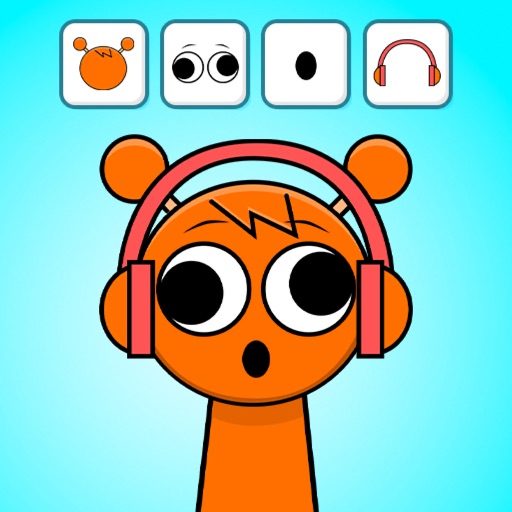
Create music by mixing and sounds using drag-and-drop interface. Add quirky characters and transform the game into a theme by dragging the black button. Experiment with endless combinations to generate unique tracks.