Learn to play the with interactive charts and real-time sound demonstrations. Choose from piccolo, , alto , or bass . View finger positions, listen to notes, and access lesson tutorials for structured practice.
Access real-time data and control virtual . Tune global aviation radios or create custom radio aids. Practice navigation techniques and use as a training tool or supplementary instrument during flights.
Learn about musical instruments through interactive . Tap on instruments to hear their actual . Explore images and associated audio. Receive feedback on ratings and contact support via email.
View 3D charts for , showing finger positions. Hear each musical note. Watch 3D model demonstrations. Access lessons. Choose between C, Bb, and A types.
The app provides aviation definitions and abbreviations based on the Airline Transport Pilot License syllabus. It offers iCloud sync for purchases across devices.
Practice with exercises featuring rhythms from 2 to 12 beats per bar. Receive instant feedback on timing accuracy. Progress through graduated levels from beginner to professional. Track practice sessions and review performance metrics.
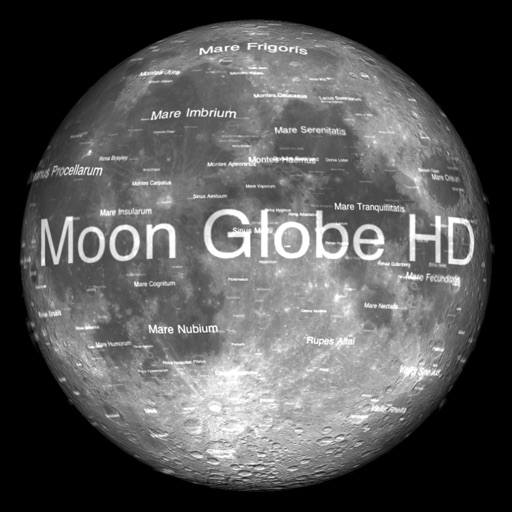
The app renders the Moon in realtime 3D using satellite imagery and topographic data. Users can manipulate the view, adjust sunlight, and see labeled terrain features and spacecraft.
Learn to play the by viewing finger positions on a 2D . Hear each musical note and listen to a live demonstration. Access lessons for structured practice and instruction.
Teaches tables through interactive gameplay. Tracks progress with detailed statistics. Features a child-friendly interface without advertisements. Allows users to monitor learning outcomes and set practice sessions.
The app provides approximately 50 minutes of in-flight video demonstrating en-route navigation, flight plan creation, and SID/STAR programming for the Garmin GNS430/530W. It details programming the unit for navigation through real-life scenarios.
The app displays Earth's Moon in realtime 3D using satellite imagery and topographic data. Users can manipulate the view, switch to Telescope mode, and adjust the display time to observe shifting sunlight on the lunar landscape.
Set beats per minute and choose tempo. Start, stop, or reset the . Adjust sound volume and select different beat sounds. Practice timing with visual cues and audio feedback.
Allows users to practice ear by playing back pitches on their instrument. The uses pitch recognition to identify notes and provides feedback. Users can select different instruments and practice identifying and replicating musical notes.
Learn guitar and other stringed instruments by identifying notes on the fretboard. Choose correct notes from multiple options. Practice with various instruments including bass, mandolin, ukulele, and banjo.
Practice on by matching finger positions to notes in the key of C. View music notation in sheet music format. Track progress and receive feedback on accuracy. No ads or in- purchases.