Edit and annotate PDF files. Convert scanned text and images to searchable PDFs. Listen to text with customizable voices and synchronized highlighting. Save and share annotated PDFs. Sync with other PDF apps.
by Everway Opco Ltd.★ 4.760 ratingsEducationFreeData updated 2026-09-08
With OCR capabilities allows users to , , and convert documents. Add, delete, or rearrange pages with highlighting and annotations. Convert images to PDFs by importing multiple files. Import PDFs from device storage for viewing and editing.
Open and view PDF documents with full-text scroll, zoom, and single or double page mode. Annotate with professional tools and customize styles and colors. Play embedded audio from PDF files.
Check balances, view history, transfer funds, locate
Check account balances and view transaction history. Transfer funds between accounts. Locate branches and ATMs. Pay bills and deposit checks via photo. Set up security alerts and manage account settings.
The app scans documents, extracts text using OCR, and allows editing and form filling. It supports sharing files via email, cloud storage, and faxing to over 100 countries.
Create and edit PDFs by scanning documents, combining files, or importing images. Add pages, delete or reorder content, and apply markup. Export with password protection and extract pages or images.
HONG KONG SENRONG IMPORT AND EXPORT TRADING CO., LIMITED
Merge PDFs, split pages, convert files
Convert documents, images, and files to PDF with one tap. Split PDFs by page, merge multiple files into one, and export pages as high-resolution images. Create PDFs from images and convert PDFs to image formats.
Read PDFs and websites with text-to-speech functionality. Adjust speech rate up to 8x speed. Listen to content in the background. Organize files into unlimited folders. Import content from websites and files. Scan documents using the camera.
Scan documents into PDF files with auto-edge detection and multi-page support. Share scanned documents via email, text, AirDrop, and other messaging apps. Export in PDF format and adjust image quality settings.
The app provides a PDF document viewer with features for annotation, highlighting, linking, sharing, and printing. It supports adding PDF documents via iTunes file sharing or a desktop browser and includes library management.
Convert files to PDF including , Word, Excel, Txt, and PPT. Merge multiple PDFs, lock or unlock files, and scan documents. Edit PDF content, rename files, share, print, and convert PDFs to .
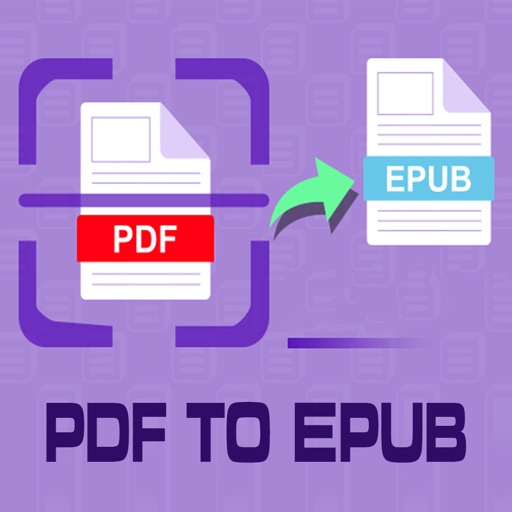
Convert PDF files to format for mobile reading. Edit text, adjust fonts, and customize margins. Export as and share or save to device. Supports iPad, iPhone, and ebook readers.
Access and manage files in secure cloud storage. View and edit documents, PDFs, and spreadsheets. Watch videos, read ebooks, and browse photo albums. Play music and control slideshows. Sync with AirPlay devices. Create and view to-do lists.
Collect bookmarks from web and apps. Clip articles, photos, videos, and pages. Organize bookmarks into collections with tags, custom icons, and screenshots. Share collections privately or publicly for collaboration.
Read and annotate PDFs with highlighting, freehand drawings, and audio notes. Edit text, sign documents, and convert to other formats. Organize files, merge or split documents, and insert pages or hyperlinks. Import from computer or cloud.
The app provides a PDF reader with multiple tabs, similar to Chrome. It includes PDF annotation capabilities and a feature to list recently closed PDF files in thumbnails.
Read and annotate PDFs with text highlighting and comment features. Convert documents to editable formats. Scan and digitize paper files, receipts, and notes using AI. Edit text, add signatures, and fill out forms.