Apps Like MI Remote・TV Box Controller for iPhone and iPad
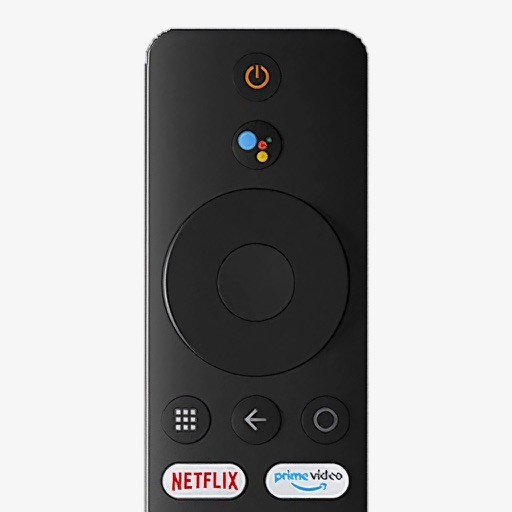
Control your Mi Box with your phone
Control your Mi Box with full remote functions including volume, power, and navigation. Manage apps by opening, closing, and switching them from your phone. Use voice search to find content and control playback.
by Jacob Mitchell★ 4.762 ratingsUtilitiesFreeData updated 2026-09-06
Lets users manage streaming devices via phone. Navigate with swipe-based controls. Connect devices to same Wi-Fi network. Simplify text input with built-in keyboard. Search and input text efficiently. playback and device settings remotely.
Smart TV functions with on-screen buttons and voice commands. Navigate menus, adjust volume, and change channels. Pair with multiple devices and customize button layouts for different TVs.
Set up 2FA accounts with ease. Scan QR codes and barcodes for quick access. View and manage scan history for reference. Renewal occurs automatically unless disabled.
Control smart TVs with phone-based functions. Adjust volume, change channels, and navigate menus. Support multiple TV brands including Samsung, LG, Sony, and Roku. Enable screen mirroring and casting. Lock and unlock TV features remotely.
Control TV channels, adjust volume, and manage playback with commands. Access a interface compatible with multiple TV brands. Use AI to search for content and navigate menus without manual input.
Bookmark and organize favorite videos. Create unlimited playlists and build a custom library. Share playlists with friends. Stream content to AirPlay-enabled devices. Control playback via car stereo or home audio system.
Control Smart TVs and media players via Wi-Fi with a mobile device. Navigate content using a large touchpad. Access grouped function buttons for easy operation. Automatically connect to devices after pairing.
Mirror device in real-time to smart TV. Stream videos, photos, and presentations wirelessly. Connect via Wi-Fi without cables. Supports audio and video playback with low latency. Compatible with major TV brands. Simple setup for quick use.
Translate text, voice, or images with support for over 130 languages. Use camera to translate menus and signs. Get dictionary definitions and example sentences. Save and sync translation history. Perform real-time voice translation.
Control TV functions with button layout customization. Adjust volume, power, and input settings. Navigate menus and launch apps. Pair with multiple TVs and manage device connections.
Adjust audio volume with precise control. Enhance clarity and amplify volume for media playback and calls. Support for multiple audio sources and real-time volume adjustments.
Use AI to generate ideas, rephrase text, and research topics directly within any . Chat with AI for advice, translate messages, and access writing tools. Customize keyboard settings and manage AI interactions through a dedicated interface.
Snap and scribble to solve math problems. Perform basic, scientific, and fraction calculations. Convert currencies and view calculation history. Customize themes and use an intuitive design.
Control TV functions like volume and channels via smartphone. Access favorite apps and services from a media center interface. Support for all basic TV operations. Includes dark mode for nighttime use.
Create lists for games with up to 26 rows. Add photos and choose colors for each . Export lists to the photo gallery. Save lists within the for future use.
Control LG TV with a virtual . Adjust volume, change channels, and navigate menus. Access settings and input sources. Pair via Wi-Fi for wireless operation. Supports LG Smart TVs without physical .