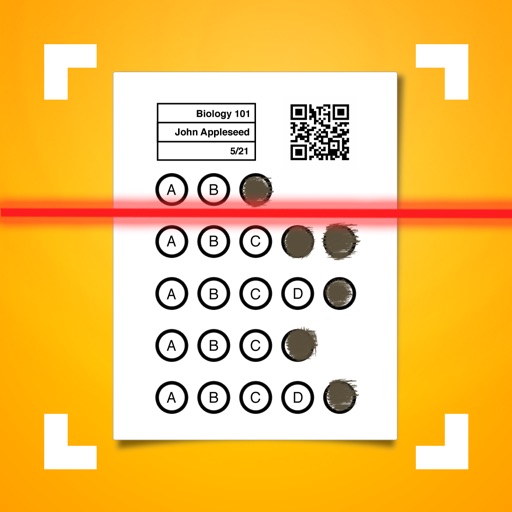
The app administers and collects student results from various assessment types. It automatically grades bubble sheets and allows for immediate review of assessment results.
by ALL In Learning★ 2.04 ratingsEducationFreeData updated 2026-10-16
Teachers can scan and grade multiple choice tests, quizzes, and assessments using their device's camera. Export results in PDF and Excel formats. Organize and report grading data. Generate free answer sheets in various sizes and formats.
Students answer formative assessments with multiple choice, true/false, open-ended questions, and polls. They join classes using a teacher's code without needing accounts. Teachers view real-time responses and class-wide results.
View current grades and assignments. Track attendance records. Monitor assessment results. Access calendar events. Receive personalized newsletters with academic updates. Use a user-friendly interface to stay informed about student progress.
Grade assignments with annotations, rubrics, and feedback options. Communicate via announcements, discussions, and messages. Update content by adjusting due dates, publishing assignments, or editing text.
Enable assessment delivery across iOS, macOS, Windows, and ChromeOS devices. Create and manage tests with customizable settings. Monitor progress and generate reports. Lock down browsers to prevent unauthorized access during exams.
Access assessments and resources across multiple subjects and grade levels. View dynamic reports, manage tests, and track student progress. Use built-in tutorials and tools for test navigation and result analysis.
Allows users to create classes and configure assessment answers. It automatically grades bubble sheets and displays scores in real time. Export data to XLS or CSV, sync with Google Classroom, and integrate with .
Manage student organization finances with budget tracking and expense logging. Plan and assess events with calendar tools and feedback surveys. Collaborate with campus departments and partners through communication features and resource sharing.
Personalized reading instruction for all students.
The app personalizes literacy skill development for students in grades preK–5. It adapts to student performance, targets skill gaps, and provides educators with data and resources for personalized instruction.
Students can upload and share learning activities, assignments, and creative projects. Teachers can provide feedback, assign tasks, and communicate with families. Includes tools for tracking progress and accessing educational resources.
The MimioMobile application allows students to interact with lessons on an interactive whiteboard using their mobile devices. It enables collaborative learning and formative assessment within the MimioStudio software environment.
Create and administer quizzes, collect real-time responses, and provide instant feedback. View student performance reports, adjust lesson plans, and track progress over time. Share assessments via device or URL.
Identify plants, fungi, and lichens using image recognition. View common name, description, scientific name, and classification. Access health assessment to differentiate between species. Share identification results.