The app allows users to create banner messages with customizable backgrounds, colors, and fonts. The full version offers additional backgrounds, fonts, and removes advertisements.
by Ricardo Corin★ 4.136 ratingsPhoto & VideoFreeData updated 2026-10-16
Edit text with customizable fonts, shadows, and gradient colors. Apply one-click filters for professional photo look. Adjust lighting, sharpness, and detail clarity. Access design templates for weddings, cards, and frames.
Create professional cards with templates and design
Create professional cards with customizable templates, fonts, icons, and layout tools. Add text, images, and logos. Export as PDF or print-ready files. Share via email or social media.
The app provides selected themed Glow Wallpapers and Backgrounds for iOS devices. It features a user-friendly interface, quick navigation, and regular content updates.
Add watermarks to using text, logos, or images. Choose colors, fonts, and adjust scale, opacity, and angle. Save watermarks as templates for future use. Apply watermarks to protect and copyright .
Edit photos with 3D and color effects to create立体 art. Apply special effects to enhance images. Save and share edited photos directly. Use fun and intuitive editing tools for creative customization.
Create festive photos with 2D and 3D -themed . Add color particles and animated effects to images. Share edited photos directly to social media. Apply pre-designed collage templates. Adjust frame size and position for custom layouts.
Create collages by combining multiple photos into layouts. Choose from 50+ grid styles and tree or 3D modes. Edit photos with cropping, filters, and text addition. Share finished collages directly.
The app adds speech and thought bubbles to photos, allowing users to create comic-style pictures. Users can add captions, choose from various fonts and bubble styles, and place multiple bubbles.
Adjust and resize to fit iOS 7 wallpapers and screens. Zoom, scale, and images for custom backgrounds. Preview modified wallpapers directly within the .
Create collages by combining multiple photos. Add romantic and text. Share collages via social media or messaging. Customize layouts and edit images within the .
Edit photos by adding text with customizable fonts and calligraphy styles. Insert names as signatures with unique designs. Adjust text size and placement. Share edited images directly.
Create designs with 4,000+ templates and 50+ fonts. Use pre-made projects to customize layouts. Edit photos in- with basic tools. Export designs for printing.
Create social content with customizable templates, premium fonts, and . Choose from curated color palettes and design elements. Export and share content directly. Collaborate with others in real time.
Create personalized invitations with customizable templates for events like weddings, birthdays, and parties. Add text, images, and graphics. Choose from various options and export invitations in multiple formats.
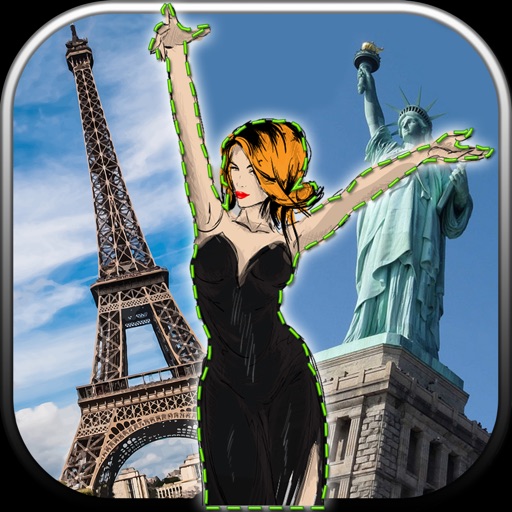
Edit photos by removing unwanted backgrounds and replacing them with scenic images. Cut out subjects and paste them onto new backgrounds. images for seamless montages. Share edited photos directly.