The app allows users to crop photos into squares and arrange them to create banners and photo grids on Instagram. Users can add tags and captions, and upload directly to Instagram or save to their camera roll.
by Eyetap Soft LLC★ 3.147 ratingsPhoto & Video$0.99Data updated 2026-10-16
Create social media posts, flyers, collages, logos, and wallpapers with drag-and-drop tools. Use pre-designed templates for Instagram, Facebook, and phone wallpapers. Add text, images, and graphics.
Edit photos with AI-powered background removal and replacement. Choose transparent, white, or custom scene backgrounds. Generate realistic shadows and adjust lighting. Export in high-quality formats and share directly.
Create promotional posters and advertisements quickly. Choose from 120+ background templates and customize sizes in various ratios. Add text, images, and graphics to design posters. Share finished directly to social media platforms.
Combine photos into framed and captioned layouts. Add text and filters to enhance visuals. Share directly to Instagram. Arrange images with creative and decorative effects.
Create collages using 1000+ layouts and effects. Edit photos with filters, split images, and adjust brightness. Add text, stickers, and templates. Share edited collages directly.
Create custom photo books and prints from Instagram or camera roll photos. Select and arrange images for print. Order physical photo goods directly within the . Share completed projects via social media or email.
Edit photos to full size on Instagram . Stretch edge pixels to fill gaps. Choose from blur, mosaic, color, and pattern backgrounds. Take photos directly or import from gallery.
Repost photos, videos, and stories from . Copy captions and tags. Save repost history. View all posts from followers. Repost profile photos. Browse follower feeds and stories. Access user profiles.
Create videos using selected images from the gallery. Add text, transitions, and background music. Share videos directly to social media platforms. Edit photos with filters and cropping tools. Export in high resolution for playback.
Plan and organize Instagram content by scheduling posts, stories, reels, and carousels. Drag and drop to arrange feed layouts. Hide, pin, or unpin posts. Sync with accounts to view future and published content. Edit profile details and highlights.
Shenzhen Qianhai Happy Tour Network Technology Co., Ltd.
Create posts from photos
Create and share photos in a unique format. Select from 50+ layouts. Automatically suggest image order for posting. Crop photos directly within the . Add videos to posts. Display full banner images on social media profiles.
Preview and plan Instagram feeds by adding, deleting, and rearranging photos and videos. Apply filters to customize the look. No login required to view or edit feeds. Test changes before posting.
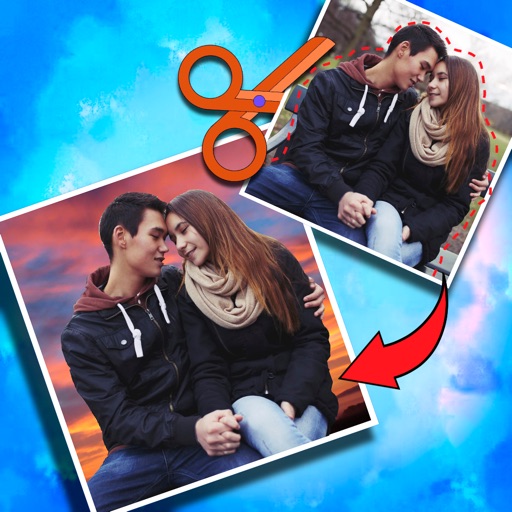
Crop photos and save individual cropped sections for later use. Combine cropped images with backgrounds or other photos to create new compositions. Apply filters to enhance the visual appearance of edited images.
Together vertically or horizontally. Combine chats, web pages, or side-by-side images into one image. Redact private information before sharing. Save and share the combined image directly.
Create surreal videos with reality distortion effects and cinematic . Apply effects in real-time during recording. Capture stills with the same effects in standard or square format. Add mirror reflections for symmetrical transformations.
Create collages and edit photos with cropping, filters, and text. Add stickers and remove backgrounds. Edit videos, create slideshows, and design invitations. Share directly to Instagram with hashtag management.