Apps Like Remove Object. Photo Editor for iPhone and iPad
Background from photos
Unwanted objects from photos by selecting and erasing backgrounds. Isolate subjects for transparent backgrounds. Place subjects on new backdrops. Edit and save edited images directly.
by Adan Malon★ 4.513 ratingsUtilitiesFreeData updated 2026-09-06
Identify plants and flowers by taking photos. Use image recognition to get common and scientific names, descriptions, and care instructions. View detailed information and learn about care.
Arthur Eduardo Skaetta Alvarez Desenvolvimento de Software LTDA.
Edit photos, remove backgrounds, export PNGs
Edit images by erasing backgrounds with finger dragging or AI-powered auto detection. Maintain transparency or add custom backgrounds. Export high quality PNG files for transparent or composed backgrounds.
Edit photos with filters, cropping, and brightness adjustments. Add text, stickers, and drawings. Remove blemishes and whiten smiles. Create collages with multiple layout options. Export in various formats and share directly.
Create flipbook animations using touch drawing and various brush colors. Edit frames with undo/redo, eraser, and fill tools. Adjust animation speed and manage frames. Save animations and upload to a website. Post comments on published animations.
Create collages using free layouts and grids. Add stickers, text, and backgrounds. Edit photos with cropping, flipping, and layering. Save and share finished collages or stories. Generate wallpapers from edited images.
The app allows users to crop photos into a square shape for posting on Instagram. It supports both landscape and portrait orientations and offers various background options and effects.
Print documents and photos directly from an iOS device. Choose files from Dropbox or Google Drive. Customize with built-in tools. Support for 20+ file formats including PDF, DOCX, JPG, CSV, and TXT. Scan documents and photos for printing.
Generate high-quality e-commerce images for Shopify, Etsy, eBay, Amazon, and social media. Input product details to create visuals automatically. Edit generated images with AI tools. Export and share ready-to-use product photos.
Edit photos with effects, filters, and customizable stickers. Blend images and add 3D or overlays. Crop photos and draw on them. Apply frames and borders. Use a custom camera to capture and enhance images.
Create professional ID photos for passports, visas, and driver's licenses. Automatically beautify images and replace backgrounds in red, blue, or white. Customize sizes and select templates for different countries. Share and print multiple copies.
Clean up photos and videos by scanning and removing unwanted files with one tap. Detect and delete duplicate or similar images to save space. Identify large video files for quick removal. Encrypt private files locally to protect data.
Edit photos to and acne using a skin copy and paste tool. Select the blemish, copy, and paste over the skin for a seamless effect. Adjust and blend the skin to achieve a flawless result. Export and share the edited photo directly.
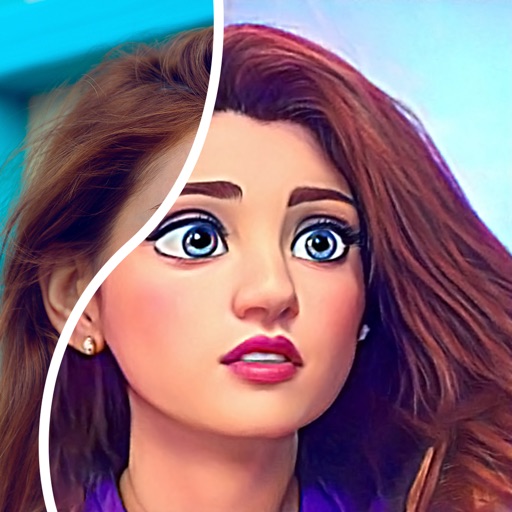
Convert photos into comic styles using AI algorithms. Edit avatars with retouching tools. Access various comic templates. Apply filters and adjust images for effects. Share edited images directly.
Intelligent : Outline the subject to automatically remove it from the photo. Save images to system album or application album. Edit saved images directly within the .
Arthur Eduardo Skaetta Alvarez Desenvolvimento de Software LTDA.
Create ID with AI framing and background
Create professional ID by auto-framing and cropping images to specified dimensions. Remove and replace backgrounds with a single tap. Export as digital files or print at required sizes.
Create LED banners with customizable font colors and background edits. Share messages quickly through the . Use as a tool to convey information and express support or love. Add text and design elements to personalize content.