Apps Like Remove Objects - Remove AI for iPhone and iPad
From photos with AI
Unwanted from photos using AI-powered smart object removal. Highlight the object to erase, and let the AI handle the cleanup. Edit with an intuitive interface designed for ease of use. Support high-resolution images to preserve quality and detail.
by Ariel Ortiz★ 4.58 ratingsGraphics & DesignFreeData updated 2026-09-06
Objects, people, or text from photos and videos. Edit backgrounds realistically without a reference image. Erase pimples, scratches, and telephone wires. Delete power lines and surface imions. Export edited content directly.
AI photo editor allows users to remove objects, people, and text from images. Change backgrounds and retouch photos with AI tools. Edit faces and create avatars. Export edited images in various formats.
Edit photos with facial retouching tools to remove blemishes and enhance skin tone. Add artistic filters and effects to selfies and portraits. Export edited images in high quality and share directly from the .
Backgrounds and unwanted objects from photos using AI-powered tools. Edit and arrange images, then save as PNG, JPG, or WebP. Share directly or export in high-resolution formats. No watermarks in free version.
Edit photos by removing and replacing backgrounds using AI-powered tools. Cut out people or objects with precise edges. Add custom backgrounds, blur backgrounds, or erase unwanted areas. Save edited images in various formats.
Edit photos with AI muscle enhancement, reshaping, and face retouching. Add beards and hairstyles. Remove backgrounds. Reconfigure faces with AI reface. Adjust muscles, arms, and chest. Export edited images.
Edit photos by selecting images from the library and using an adjustable brush tool to mark areas for removal. The employs inpainting algorithms to seamlessly eliminate unwanted elements and blend the background.
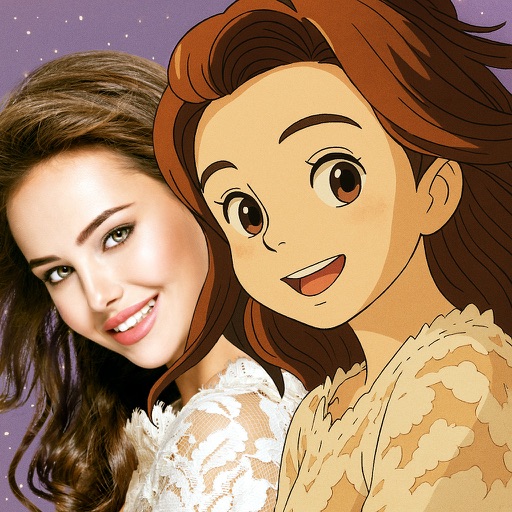
Convert photos into -style characters using AI technology. Select a photo or use the to generate avatars. Customize backgrounds, animate scenes, and share created artwork. Edit and refine cartoon faces with various styling options.
Remove unwanted objects, people, or imions from photos using AI-powered editing. Describe the elements to remove with natural language prompts. Edit images with precise object removal, adjust colors, and enhance details.
The app offers multi-layer photo editing for creating composites and artwork. It allows users to combine photos, add text, apply filters, and use AI tools for image generation and background editing.
Edit photos with AI-powered enhancement, unblurring, and sharpening. Remove objects and restore old images. Convert photos to pixelated or HD formats. Create AI-generated cartoons. Share edited images directly.
Edit videos by adjusting playback speed with a sliding dial. Choose from your library or record new footage. Trim unwanted sections. Export videos for sharing on Instagram. Unlock Pro version for advanced speed controls and reverse playback.
Remove unwanted objects from photos using AI-powered erasing tools. Mark or tap objects to delete them. Replace or remove backgrounds with new ones. Automatically cut out objects with a tap. Undo or redo changes.
Photos with AI-powered enhancements, lighting fixes, and upscaling. Add filters, stickers, and text. Crop and adjust images. Export in various formats and share directly.