This server app allows up to 32 players to play The Blockheads together in persistent online worlds. Users can create a new world, name it, choose a port, and start the server for local or online connections.
by David Frampton★ 0.00 ratingsGamesFreeData updated 2026-10-16
Switch gauges, scroll frequencies, touch to control
Access and customize flight simulator gauges with multiple layout options. Switch between instrument panels for precise control. Use multi-touch for frequency adjustments or knob-like scrolling.
The app presents a multiplayer brainteaser where users recreate stained-glass Jigsaw Puzzles. It offers hours of fun, especially when competing with other players online in a breathtaking art puzzle challenge.
Track DDR scores and fullcombo states. Load data from GATE Server. Save scores to device for offline access. View scores anytime without internet. No data sharing or syncing.
Track game scores without pen or paper. Add or rename players by long pressing squares. Input scores as gameplay progresses. Reset scores after each game to start fresh.
The app allows users to build worlds alone or with others online. Users can explore creations, play survival mode with crafting and mobs, or build in creative mode.
Monitor battery state of charge and communication status with the server. Configure operating mode, charge/discharge times, and battery charge limits. Access 24/7 support information.
FTP client allows users to add, modify, and delete FTP servers. Download and upload multiple files or folders. View files online, create folders, and track progress. Access download and upload history. Sort files by name, date, or size.
Chat with a locally hosted LLM via HTTP. Send and receive real-time messages. Choose between Ollama or LM Studio. View conversation history. Export chat logs. Adjust model parameters. Disconnect from the server.
Manage web servers via web-based GUI. Install LNMP/LAMP environments with one-click. Monitor server status and resources. Configure domains and databases. Automate deployment tasks. Access detailed logs and analytics.
The app is an online multiplayer game where users can chat with friends and challenge other players. Users can create sequences, meld cards, discard, take cards from the pile, and create selected canastas to go out.
The app allows users to play the classic SOS game online. It features real-time online play against opponents, chat functionality, and the option to play against the computer or a friend.
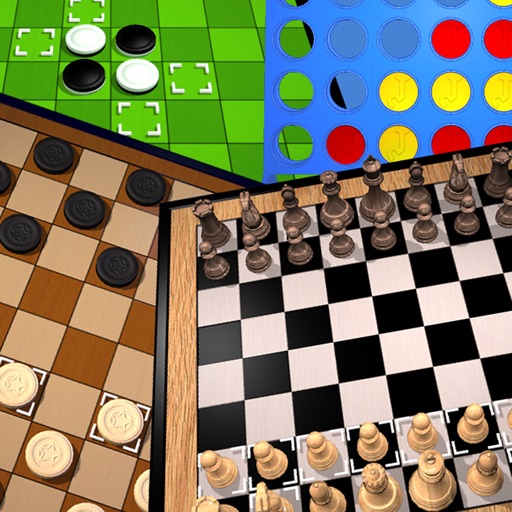
The app offers classic board games including Chess, Draughts, Awele, Connect 4, and Reversi. It provides artificial intelligence for offline play and server connectivity for playing with others.
The app features photorealistic graphics and full motion video backgrounds. Players can compete in tournaments, visit the tackle store, and compete on online leaderboards.
A for children allows users to play musical notes and create chords by pressing three consecutive notes. Sliding fingers across keys produces harmonious sounds. It includes note sequences for nursery rhymes and lullabies in English.
The app allows users to create, import, and play card games on their iPad. It supports organizing cards into boxes, creating decks, and playing games online with voice chat.
View device photos and videos, organize into albums. Connect to local or cloud server. Upload selected media to import folder. Mark photos as uploaded. Enable HTTP Basic Authentication. Delete photos from device after upload.